
You've got a decent product, a trickle of paid clicks and a demo page that looks sharp on your laptop. Then you check the numbers on a Monday morning and think, is anyone reading this thing? It's a familiar spot for NZ and AU founders. Traffic is modest, budgets are tight, and most advice assumes a huge US audience you just don't have.
Say you spend three weeks reworking a SaaS demo page. New hero, cleaner copy, a video you filmed twice because the first take sounded stiff. You ship it, share it with the team, and qualified demo requests sag. No error, no outage. Just fewer good leads.
That quiet drop is usually not a design problem. It's a testing problem. Overseas playbooks often assume big traffic, broad audiences and a simple click as success. Your reality is smaller and messier, with Auckland prospects, regional firms, Australian trials and the odd US visitor all landing together.
Landing page testing is a controlled comparison. You show two page variants to a defined audience, judge both on one predefined outcome, and keep the audience and measurement window consistent. The outcome might be a qualified demo, paid trial or activated account. It shouldn't be a vague hope that more people click something shiny.
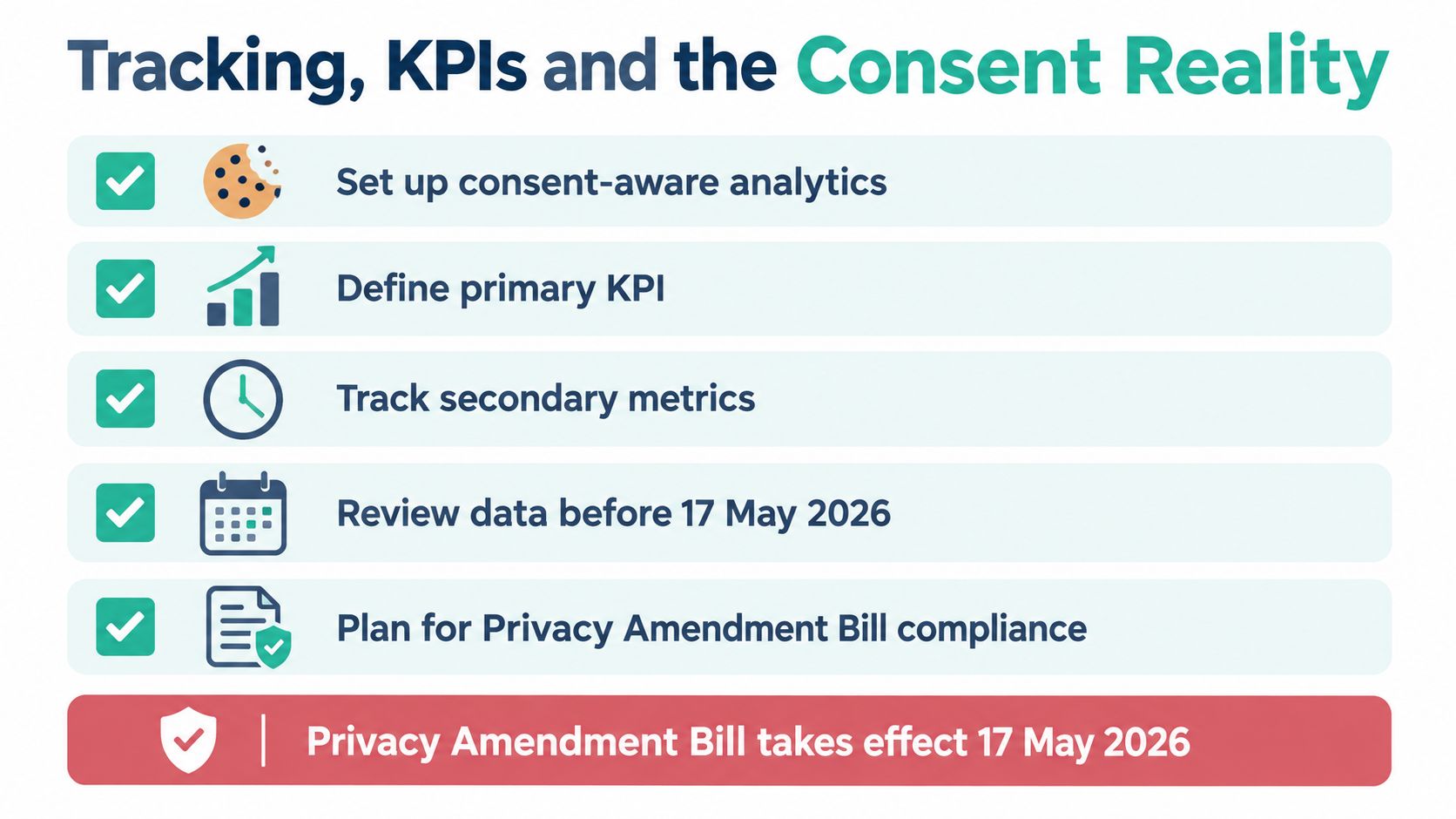
NZ Post reported that shoppers completed nearly six million more online transactions in 2025 than in 2024, representing 6% year-on-year growth, while in-store spending rose by only 2%. Digital demand is growing, but many local businesses still have thin online conversion setups. That's why small page gains matter. A hypothetical move from 2% to 2.4% is a 20% relative improvement, even though it's only 0.4 percentage points.
A test that lifts clicks while qualified demos fall hasn't won. It's just made the noise louder.
Most ANZ tests fail before launch because teams copy a headline trick, ignore mobile behaviour, or never agree what success means. You know what? That's fixable. You need a sharper hypothesis, honest sample-size maths, consent-aware tracking, and accessibility treated as part of conversion. Small traffic doesn't block you. It just changes the kind of evidence you can claim, and the care you need before you call a winner.
Before you touch a page builder, answer one plain question. What business outcome will judge this test? Pick one primary KPI, such as qualified demo submission, paid trial start, marketing qualified lead, or activated account. Everything else is a guardrail, not a trophy.
Guardrails tell you if your apparent win caused damage. Watch bounce, support tickets, time on page and downstream activation, but don't let a nice secondary metric rescue a weak primary result. Then define scope. All traffic, NZ only, paid only, or mobile only? A mixed audience can hide the effect you care about.
Use this template and write it down before launch:
Because [audience] struggles with [problem], changing [element] to [variant] will lift [primary KPI] without harming [guardrail].
That's falsifiable. It's also where how A/B testing replaces guesswork becomes practical rather than theoretical. Pair the hypothesis with direct customer evidence too, including the basics in this guide to conducting user testing with real participants, so you're testing a problem people have.
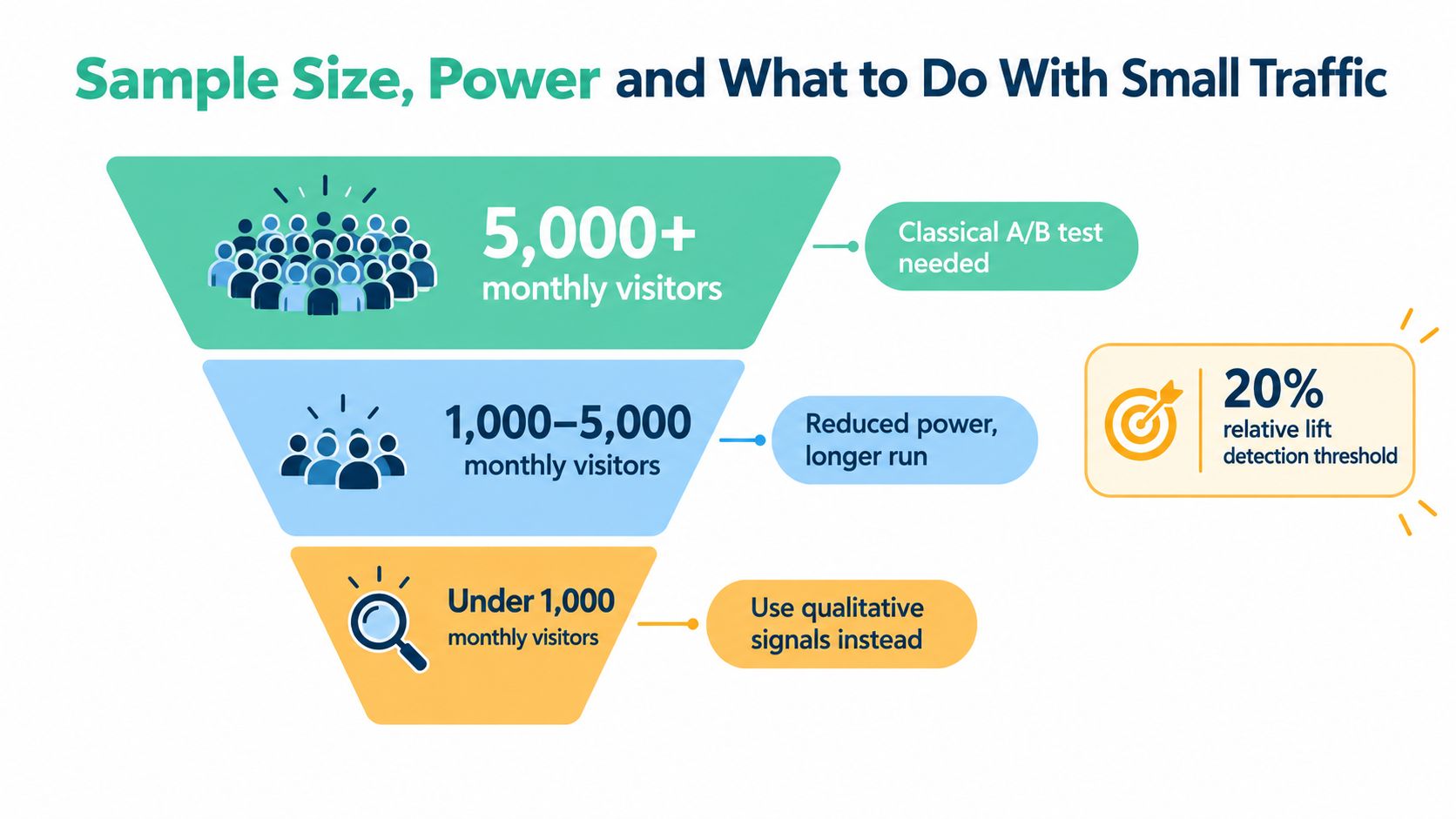
For a page with about 1,200 monthly visitors as a working example, a simple A/B or sequential design beats a multivariate tangle. You'll learn less at once, but you'll understand what you learned. For a much larger page, classic A/B testing gives cleaner separation between variants.
Keep pricing, traffic source, runtime and tracking constant. Test one major hypothesis, document it, and resist the urge to fix three extra things mid-flight. It's tempting, we all know that itch, but each extra tweak muddies the water. A tidy test may feel less exciting. It gives you an answer you can act on.
Let's name the awkward bit. Many NZ SaaS pages don't get enough visits for a classical test to detect a modest lift quickly. That's not a personal failure. It's arithmetic.
One NZ CRO provider recommends at least 1,000 monthly page visitors, and ideally 5,000, for testing. Use a sample-size calculator before launch with your current conversion rate, minimum effect worth acting on, 80% power and 95% confidence as common planning inputs. Then ask a blunt question. Can your page reach that sample inside a sensible business cycle?
NZ guidance commonly places average website conversion rates at approximately 2% to 3%, with lead-generation pages reaching 5% to 10% or more when highly optimised. A move from 2% to 3% is one percentage point, yet it's a 50% relative improvement. The same applies from 3% to 4.5%. Report both figures, because relative lift alone can make a small change sound huge.
Don't fake certainty. Change the method.
Segment before you celebrate. Auckland buyers, regional businesses, Australian visitors and overseas traffic may behave differently. A blended average can crown a variant that helps one group and hurts another.
Working rule: Label each test definitive, directional or exploratory before it starts, and match your decision to that label afterwards.
That single habit saves grief. If you ran an exploratory test, don't present it to the board as settled science. Ship cautiously, monitor activation, and keep learning. Honest uncertainty beats false confidence every time.
A variant can look brilliant because more of its visitors got measured. That trap catches smart teams. Consent, tags and CRM matching now sit inside the test design, not underneath it.
The Privacy Amendment Bill is scheduled to take effect on 17 May 2026, so consent-aware analytics needs attention now. Plan the events you need: impression, page view, CTA click, form start, validation error, form completion, confirmation and downstream activation in the CRM. Identical tracking on control and variant is required.
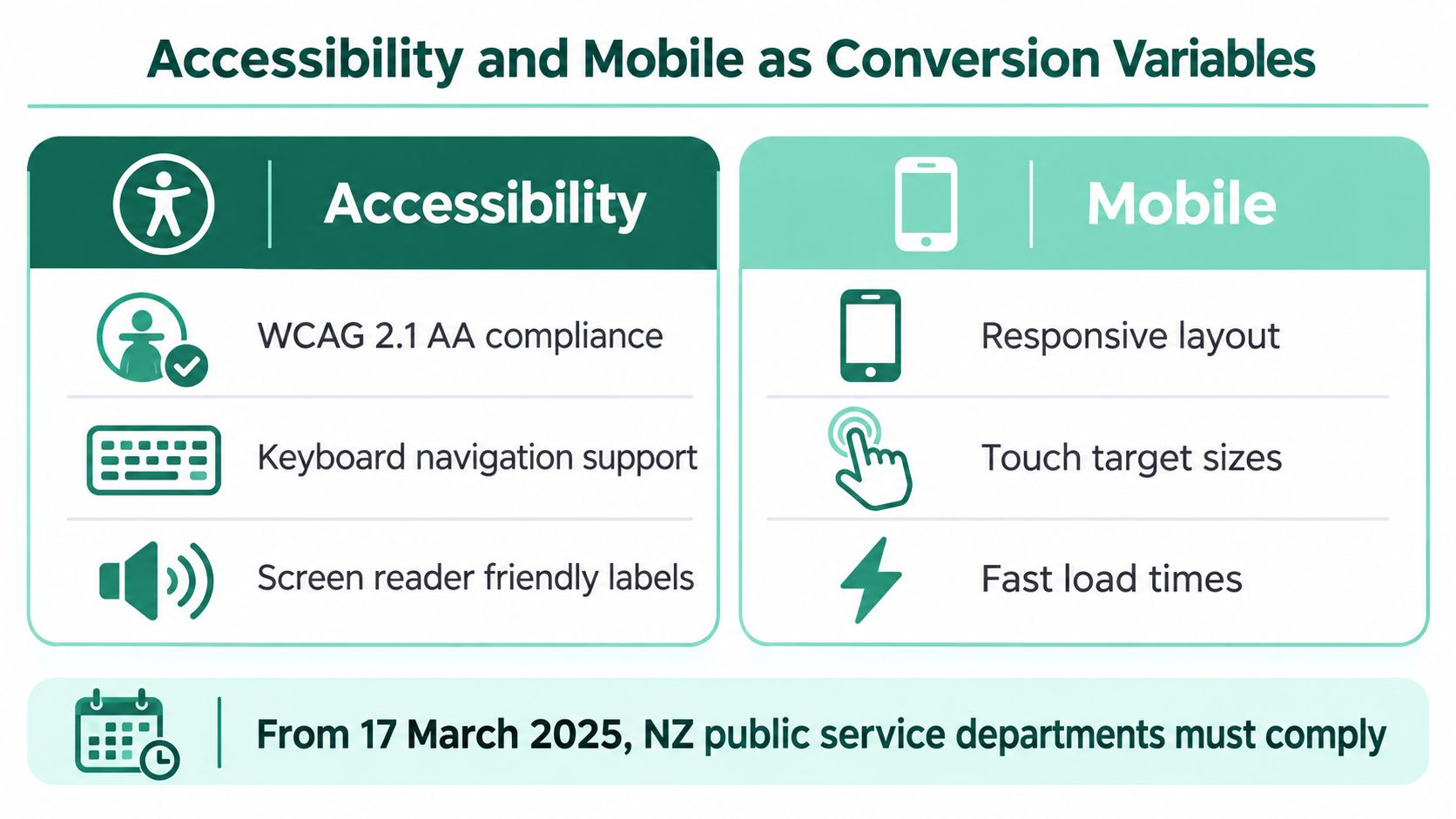
NZ Digital Government guidance says analytics and cookie collection should use no more data than required, with people told what is collected and why. Don't collect every signal just in case. A lean plan is easier to explain, easier to audit and less likely to turn a conversion test into a profiling exercise. For local context, these NZ Privacy Act basics for app and website teams are worth reviewing with whoever owns your tags.
The mechanics matter across sectors too, whether you're mapping SaaS demos or learning to set up roofing conversion tracking for service enquiries. The principle is identical. Track the action that carries commercial value and make sure the count means the same thing on both pages.
Mobile deserves its own read. Smartphone transactions represented 65.7% of New Zealand e-commerce value in 2025, so desktop copy results won't tell you if thumbs, autofill or cramped trust details are hurting completion. Test mobile form completion, speed and error recovery separately. Report relative lift and absolute percentage-point change, then ask whether the winner improved the experience or merely got cleaner data.
Accessibility isn't a tidy compliance chore you do after the fun design work. It's conversion plumbing. If people can't read your offer, reach your button or fix a form error, your headline never gets a fair chance.
From 17 March 2025, NZ public service departments and non-public service departments in the Executive branch must meet Web Accessibility Standard 1.2, requiring WCAG 2.2 at Level AA subject to limited exceptions. Private SaaS pages aren't all under that rule, but it's a solid pass or fail line to borrow. It turns vague review into a clear check.
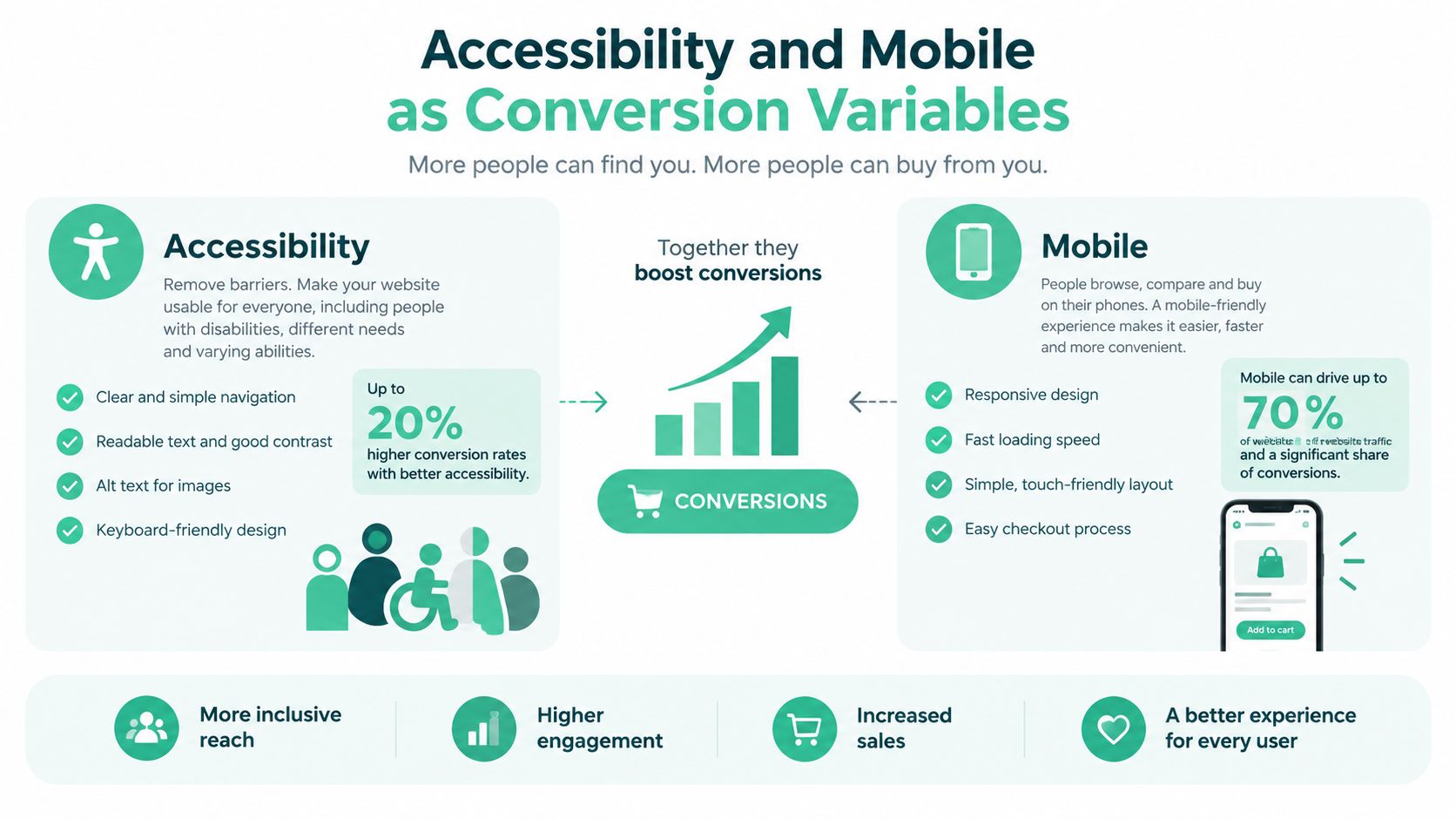
The local need is hard to ignore. An independent review found accessibility issues on 97.5% of the top 1,000 NZ-owned website homepages, with 32,886 total errors. Common defects included poor colour contrast, missing link text, absent alt text, unlabelled form fields and buttons without discernible names. Each one can become a testable fix. For example, a high-contrast CTA with an explicit action label might lift completed demo requests because people can find and understand it faster.
Put the mouse away. Move by keyboard, check focus states, and try screen readers such as JAWS, NVDA and VoiceOver. NZ Government accessibility guidance describes being able to zoom to 400% without text spilling off screen or forcing horizontal scrolling. Try a narrow viewport too, around 320 pixels wide as a practical check. Do labels stay visible? Can you recover from an error without hunting?
Good user experience design for online stores makes the same commercial point, and these responsive web design principles for different screen sizes help teams check layout behaviour early. A flashy hero that lifts clicks but blocks keyboard navigation isn't a winner. It's a leaky bucket with better paint.
Frameworks are fine. A plan you can put in a doc today is better. Here are three patterns built for the traffic and audiences ANZ teams face, with the decision each founder has to make.
Take a working example of roughly 1,200 monthly visitors. Your primary KPI is qualified demo submission, with activation as the guardrail. Hypothesis: because busy operations managers can't tell what happens after they enquire, adding a short three-step demo explainer beside the form will lift qualified submissions without increasing unqualified leads.
Use a sequential or Bayesian read and pair it with five moderated user tests. Track page view, CTA click, form start, validation error, completion, sales qualification and activation. At 30 days, look for friction and lead quality, not a victory lap. At 60 days, decide if the signal is stable. At 90 days, check retained revenue signals where you can. If it fails, stop rewriting headlines and interview lost prospects.
Your primary KPI might be activated account, not raw sign-up. Hypothesis: because Australian growth marketers arrive from paid search with a sharper job in mind, a use-case headline matched to the ad will lift activation without lifting support tickets. Segment AU paid traffic from NZ organic traffic from day one.
A classic A/B test may work if paid volume is healthy. Track source, country, device, sign-up, onboarding completion and activation. Watch the contrarian risk closely. A statistically neat winner can still be a commercial dud if it pulls in curious users who never activate. If activation drops, stop chasing sign-up volume.
Here, the page isn't really selling the box. It's asking for payment details on a phone, often one-handed, maybe on a train. Your primary KPI is completed checkout. Test shorter forms, autofill support and clear error recovery separately from headline copy.
Track form start, field errors, address lookup use, payment start, purchase and refund or cancellation signals. At 30 days, find the field people abandon. At 60 days, test one friction fix. At 90 days, judge repeat purchase and support load, not only first checkout. If a variant lifts orders but creates confused customers, stop calling it a win.
The best commercial page isn't always the one with the prettiest conversion chart. It's the one that brings customers who stay, pay and don't need rescuing.
Ninety days is enough to build momentum if you keep the queue small. Start with weeks 1 to 2 on an audit using GA4 or Matomo, heatmaps, session recordings and a form analytics pass. You'll likely spot obvious leaks before you run anything fancy. Fix broken tracking first. A test on bad data is just theatre with charts.
In weeks 3 to 4, agree one primary KPI, write a short hypothesis queue and finalise a consent-aware tracking plan. Weeks 5 to 8 are for your first two tests, each with a stop rule, audience scope and decision owner. Don't peek daily and panic. Check data quality, then let the test breathe across a full business cycle.
Weeks 9 to 12 are review time. Ship the winner, document the loser, and queue the next batch from what you learned. Losers aren't waste if they kill a weak idea cheaply. That record also stops a new hire from rerunning the same doomed headline next quarter because it looked good in a pitch deck.
| Tool category | Common picks | What it does for the test | ANZ note |
|---|---|---|---|
| Analytics | GA4, Matomo | Tracks page and funnel events | Matomo can suit privacy-conscious teams |
| Behaviour | Hotjar, Microsoft Clarity | Shows clicks, scrolls and friction | Check consent and data retention settings |
| Experimentation | Optimizely, VWO, Convert, GrowthBook | Splits traffic and reports variants | Convert and GrowthBook can suit leaner budgets |
| CRM | HubSpot, Pipedrive | Connects leads to activation and revenue | Pick the system sales actually updates |
The common pitfalls won't surprise you. No hypothesis, a winner called on thin data, mobile ignored, accessibility filed under later, and a consent banner skewing the result. Avoid those five and you're ahead of plenty of teams with larger budgets. Landing page testing in NZ and AU isn't about finding one magic headline. It's about building a habit of small, honest experiments that compound across the year, one clear answer at a time.
NZ Apps covers the NZ and AU app and SaaS scene for founders and operators, with practical guides, company spotlights and a curated directory to help local tech teams get found by the right customers. If you're improving your landing pages and want stronger regional visibility while you test, visit NZ Apps to explore the directory and resources.
Add your NZ or Australian app or tech company to the NZ Apps directory and get discovered by founders and operators across the region.
Get ListedReach tech decision-makers across New Zealand and Australia. Sponsored and dofollow editorial links, permanent featured listings, and sponsored articles on a DA30+ .co.nz domain.
See Options