
Android accounts for 50.32% of New Zealand's mobile operating-system usage and iOS for 49.67%, a gap of just 0.65 percentage points, in StatCounter's New Zealand figures. Its listed alternatives, including Samsung, Linux, Windows, Tizen and other systems, each recorded 0%. For a Kiwi founder, choosing a platform isn't much of a shortcut.
Say you're building a booking app for a local service business. Customers need to find a slot, pay and get a reminder. Before anyone draws screens, you face a choice about how to build it.
Native development means a separate iOS codebase in Swift and a separate Android codebase in Kotlin, each built with the platform's own tools. Hybrid development, as used here, means a shared codebase, usually built with Flutter or React Native, that runs on both systems.
Strictly speaking, Flutter and React Native are cross-platform frameworks, not traditional web-based hybrid tools like Ionic and Cordova. That distinction matters when you compare their technical limits. They don't all run or render screens the same way.
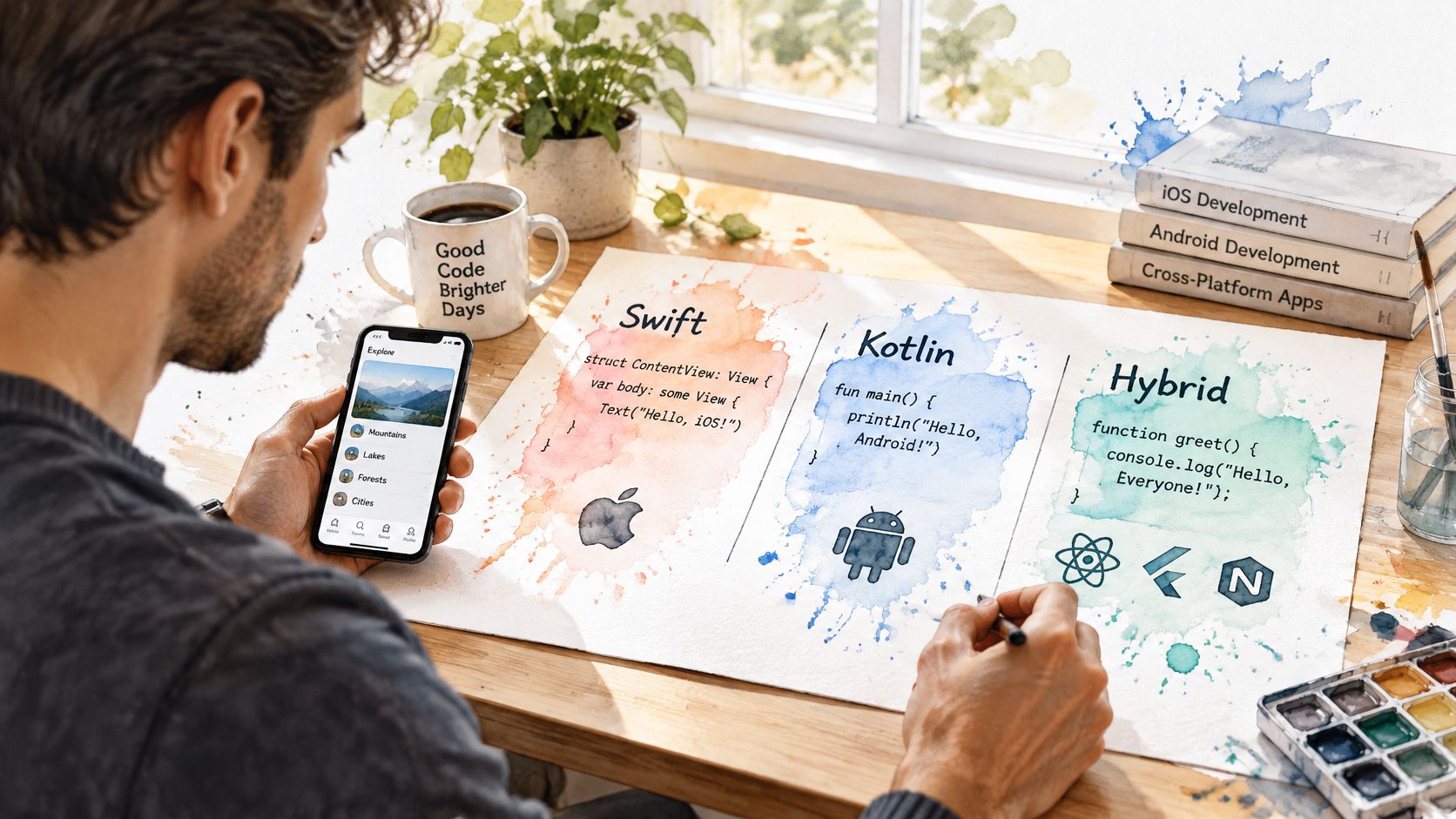
For that booking app, an iPhone-only launch leaves a substantial Android audience waiting. An Android-only launch creates the reverse problem. A staged release can still make sense if you know which phones your actual customers use, but personal preference isn't customer evidence.
A key question is whether the product earns back the effort of separate native builds. A specialist camera tool might. A booking form probably won't.
Practical rule: Neither approach wins everywhere. Pay for native control when it protects the product's core value, not because it sounds more serious.
A useful decision weighs performance, cost, user experience and maintenance, connectivity and accessibility, and the product's real use cases. The best choice is the one your team can build well and keep healthy.
Use this native vs hybrid app comparison as a starting point, not a scorecard. A row matters only when it touches something customers need.
Native and hybrid app compared on core criteria
| Criterion | Native app | Hybrid app |
|---|---|---|
| Codebases to build and maintain | Two, one per platform | One shared codebase |
| Performance ceiling | Highest, with direct access to graphics and the device | Good for typical business workflows; trails on heavy graphics or CPU work |
| Device API access | Direct access to available APIs on each OS | Through plugins or native modules, which can lag new OS releases |
| Speed to a first release | Slower, with separate platform work | Faster when a team can share most features |
| Ongoing maintenance | Separate updates, tests and releases | One shared update path plus plugin upkeep |
| Platform look and feel | Matches each OS when using its standard components | Shared or custom UI unless adapted per platform |
| Accessibility control | Uses native accessibility APIs directly | Framework and component quality set the level of control |
| Hiring pool | Specialist iOS and Android engineers | A narrower framework-specialist pool, with more scope for generalists |
Native offers the highest performance ceiling and the most direct device access. Hybrid usually wins on delivery speed and shared maintenance. Those advantages shrink if the team spends much of its time repairing plugins or writing platform-specific exceptions.
Plugins deserve a proper check before you commit. Look at their release history, unresolved issues and support for the features you need. A package that handles basic camera capture may not support manual exposure or the sensor controls your product requires.
Native components give iPhone and Pixel users familiar navigation, gestures and motion. Hybrid teams can keep branding consistent across devices, but they still need to respect platform habits. Don't force an Android-style back action onto an iPhone screen just because sharing the layout is easier.
For a useful second perspective on team ownership and delivery, Arch's hybrid app advice for UK CTOs is worth considering alongside your own requirements.
Shared code also isn't a single deployment. Hybrid teams can work to a common release calendar, but Apple and Google still have separate builds, store reviews and platform checks. Native means separate implementation paths; hybrid removes much of that duplication, not all of it.
A comparative study of native and hybrid Android applications found performance disadvantages for hybrid implementations in CPU-intensive and memory-intensive recursive calculations, and assessed execution time, memory consumption and power dissipation. The extra runtime or abstraction layer added work between application code and the operating system.
That result is narrow. Recursive calculations are not a loyalty app, a field tool, or a booking flow, and cross-platform stacks differ in how they render and call into native code. There is no single percentage gap you can paste into a business case.
Workload types and the better-fit build
| Workload | Better fit | Why it matters |
|---|---|---|
| Forms, content and CRUD business tools | Hybrid | Network latency often dominates, so rendering cost barely shows |
| Business dashboards and reporting | Hybrid | Mostly data display, where shared code saves effort |
| Sustained 60 or 120 Hz animation | Native | Direct rendering control helps maintain frame consistency |
| Advanced camera and image processing | Native | Real-time control of the sensor and processing pipeline |
| Bluetooth peripherals | Native | Direct control helps manage pairing and background connections |
| Background processing and location tracking | Native | Closer control of battery use and OS scheduling |
| On-device AI or augmented reality | Native | Heavy compute and graphics favour native performance |
Treat that table as practical guidance, not as output from the study. The paper measured recursive CPU and memory work. It did not test high-refresh rendering, camera pipelines, Bluetooth, background location, or on-device AI and AR. The native-leaning rows are starting judgements for when direct OS access usually earns its cost. They are not proof that a shared-code build cannot ship.
New Zealand's near-even iOS and Android split makes that judgement commercial as well as technical. Two native code paths are a real expense in a small market. I would spend that money when the phone is doing sustained local work, and keep hybrid when users are mostly waiting on the network.
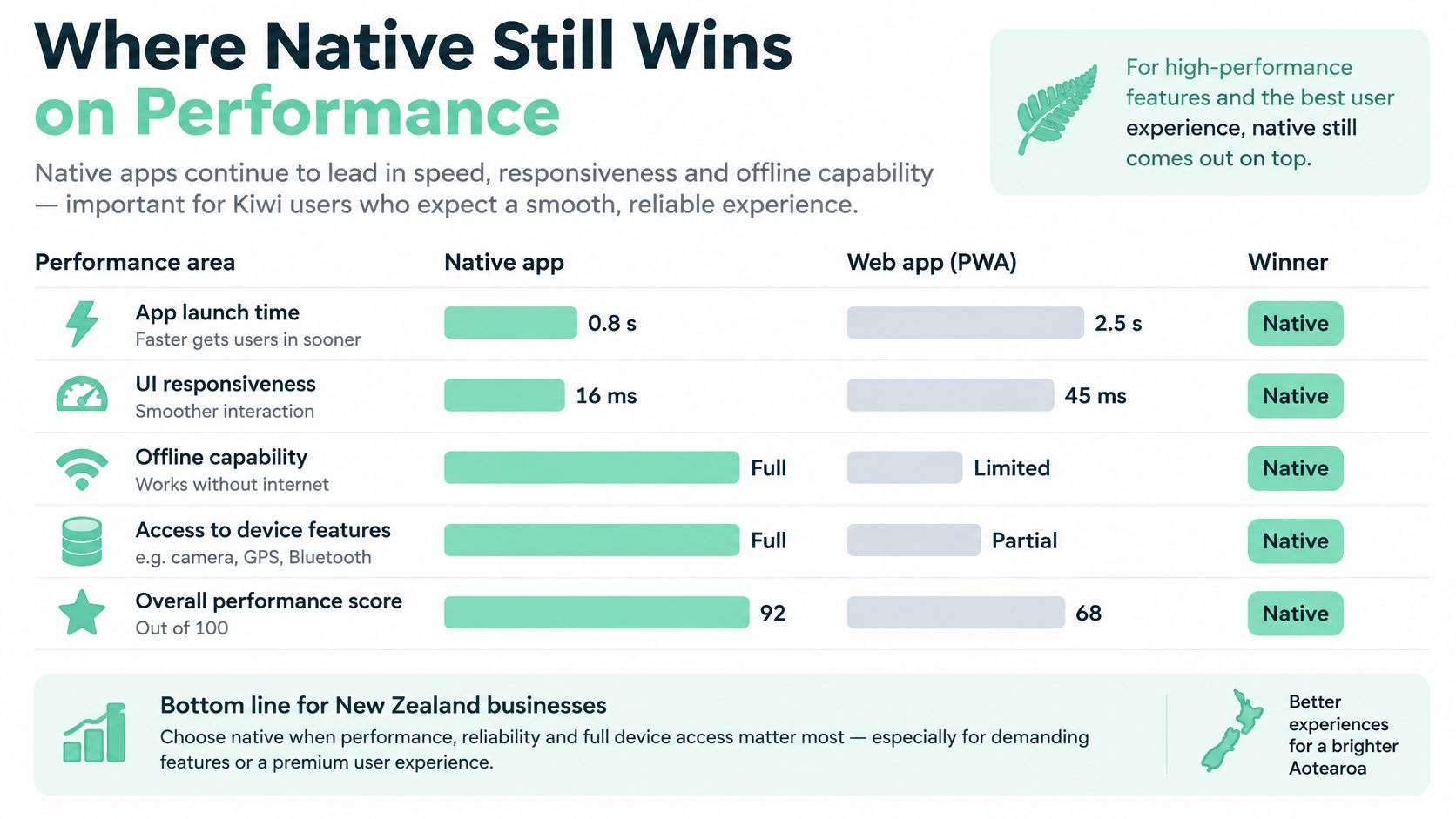
Separate work the phone must do from time spent waiting elsewhere. A slow API stays slow if you only change the UI framework. Live camera frames, sensor streams and on-device models put the cost back on local execution.
Profile a release build with Xcode Instruments and Android Studio Profiler. A debug build with development tools attached can point you at the wrong delay.
Run the demanding workflow on a lower-end Android phone early. Patchy mobile data and modest hardware are common conditions for New Zealand users, and a flagship can hide waste that shows up there.
Native code still stumbles if you block the main thread, decode huge images, or fetch data in a loop. Choose native for the control it gives skilled engineers on the heavy rows above, not as cover for poor code.
A launch quote shows whether the first build fits the budget. It does not show what the same app costs to own for 24 months.
New Zealand app build cost estimates by approach
| Scenario | Estimated cost (NZD) | Source and year | What the figure leaves out |
|---|---|---|---|
| Simple New Zealand app | NZ$20,000 to NZ$50,000 | Somar, 2026 | OS updates, store compliance work and post-launch bug fixes |
| Mid-range business app, iOS and Android with Flutter | NZ$40,000 to NZ$90,000 | Kweb, 2024 | Accessibility repairs, dependency updates and device regression tests |
Those brackets cover different scopes and years. Use them to size the first build. Do not subtract one from the other and call the gap a hybrid saving.
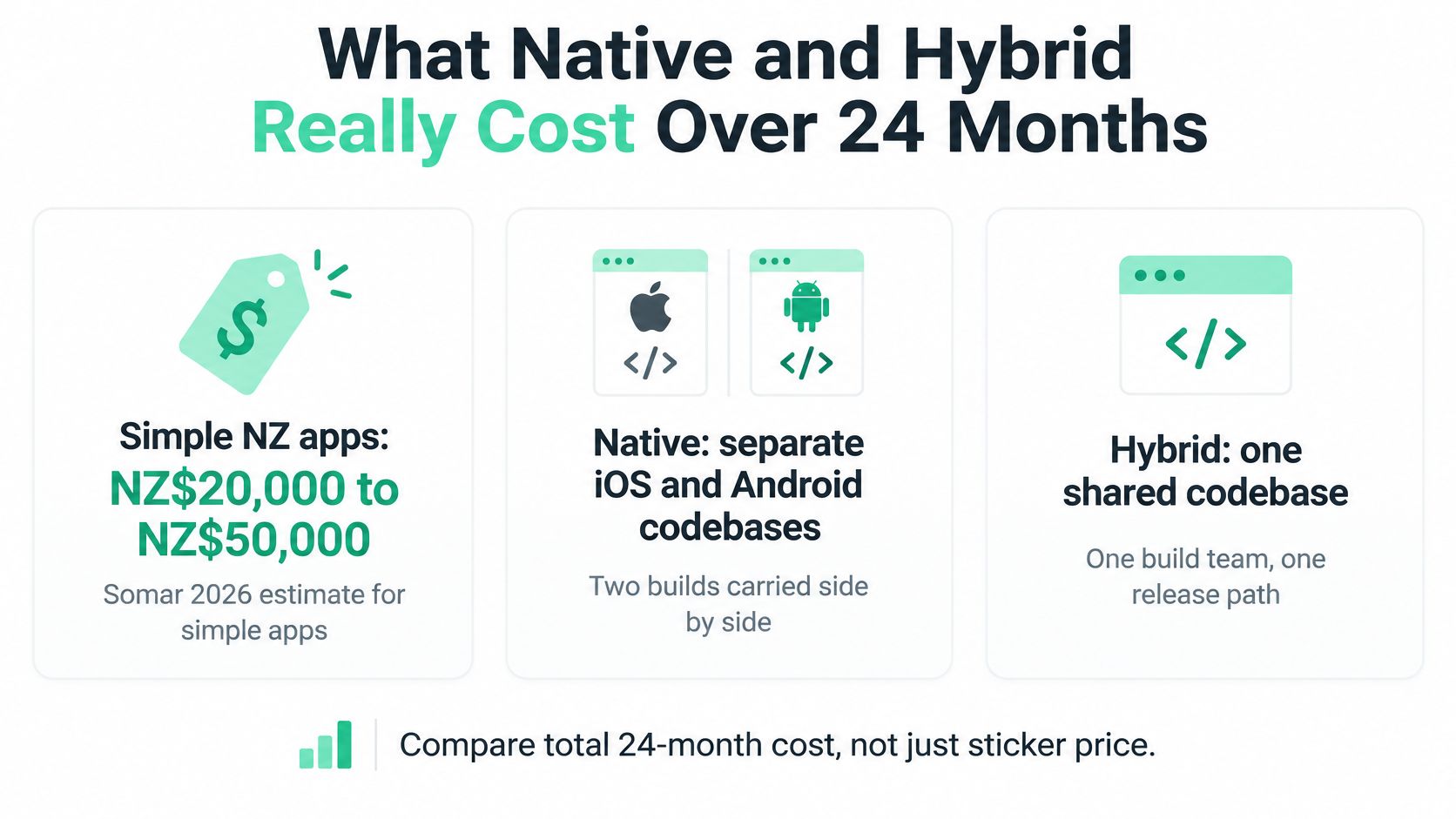
New Zealand customers sit on both iOS and Android, so a product that ignores either store leaves half the market out. A single Flutter codebase covers both platforms inside the mid-range bracket above. Separate native codebases build the same screens, tests and store releases twice, which is a hard cost in a small market.
Put 24 months of ownership on the same page as the launch quote:
Backend hosting, monitoring and support stay on the bill either way. Flutter does not cancel those costs, and neither does Swift. The New Zealand app development cost guide sets a wider frame for that budget.
Stats NZ reported 2,265 businesses conducting R&D in 2025, down 0.8% year on year, while average R&D spending among those businesses rose to $1.8 million. That is a concentrated innovation base, not a measure of how many mobile engineers you can hire.
For a founder, the staffing question is sharper. Who maintains the app when the lead engineer leaves? Does anyone else understand the native code under the shared framework? A cheap build with no clear owner is a brittle asset.
For a young product, less duplicated work can leave budget for customer feedback, support and changes to the business model.
The cheaper architecture is the one that avoids repeated work on the features that matter most.
That can also favour native. If the team keeps rebuilding a fragile bridge to a specialist device SDK, direct platform code may cost less over the product's life. I would price that awkward feature before treating the easy screens as the saving.
The Commerce Commission's telecommunications monitoring report reported average New Zealand 5G population coverage of 51%, approximately 2.7 million people, average latency of about 46 ms in 4G fixed-wireless testing, and a 23% average increase in mobile download speeds in 2025. Fixed-wireless latency isn't a prediction for a customer's handset, but it's a useful reminder not to design only for ideal connections.
Faster downloads don't rescue a form that loses a user's work. Save drafts locally, sync only what changed, compress payloads and queue failed writes. Show whether a record is saved on the device, waiting to send or confirmed by the server.
A retry queue needs more than a retry button. Give each write a stable identifier so a reconnect doesn't create duplicate bookings or reports. Define what happens when someone edits the same record elsewhere.
Offline work also has a cost beyond storage. Maps, content updates and conflict handling need ownership, which makes Waymap's discussion of offline wayfinding costs and ROI useful context for location-led products.
Mobile access isn't proof of modern hardware or reliable service. Stats NZ's published 2023 Census telecommunications data records 1,522,950 people with access to a cellphone or mobile phone; that measure isn't an app-usage rate or a device-performance test.
Use a test sheet that combines speed, recovery and access:
Here, p95 means the slower end of the experience, not just the comfortable middle. Keep those results beside task completion: a fast screen that someone can't use is still a failed screen.
Our mobile app testing and automation guide can help turn those checks into repeatable release work. Automate routine paths, but keep manual screen-reader tests.
Native isn't automatically accessible, and hybrid isn't automatically sluggish. Component quality and testing discipline matter most, especially for councils, health providers and education organisations whose users can't choose another service.
The Commerce Commission's 2025 customer-satisfaction research found that 91% of respondents had made a mobile-phone call or sent a text in the previous month, while 74% of the SME sample had used a messaging app via a device. Communication is routine, so reminders and notifications deserve more thought than a tick beside “push support”.
Push delivery isn't the same as confirmed receipt. For important updates, keep a server-side record and show status inside the app rather than trusting a notification alone.

A Wellington cafe chain needs bookings, menus and loyalty points. Hybrid is a sensible starting choice because the main work is standard screens and server calls. Native would be fair if the app later became tightly tied to platform-specific services, but not merely to display a coffee menu.
For a Christchurch tradie quoting app, basic photos and job locations also fit hybrid well. Check permissions, upload recovery and image compression. Native becomes more attractive if photography changes from attaching a job photo to measuring or analysing a site in real time.
An Auckland furniture retailer with augmented reality previews should lean native when accurate placement, room tracking and smooth movement define the buying experience. A shared storefront with a native AR module is a fair alternative if previews are contained within a clear boundary.
A rural health-check app using Bluetooth sensors and background logging also leans native. Test the actual sensor, reconnection behaviour and operating-system restrictions before settling the design. A hybrid shell can work if a well-supported native integration handles the critical logging, but the clinical workflow must not rely on hopeful background execution.
A council service-reporting app usually suits hybrid. Residents need to describe a fault, add a photo and submit a location, with clear status after submission. Screen-reader navigation and dynamic text need explicit acceptance tests; native is a reasonable second choice if required components don't meet those tests.
Key insight: The product's most demanding feature, not its average screen, sets the architecture.
These are hypothetical products, not claims about named businesses. Their value is in making the awkward requirement visible before it becomes an expensive surprise.
Make the decision against a written set of constraints. A framework preference isn't enough, and neither is a polished demo that skips permissions, reconnects and error states.
Work through these checks in order:
A device-heavy product with a funded platform team should go native. A data-led product on a tight budget should usually go hybrid. A mixed product can keep routine screens shared and place its demanding feature in a native module.
That middle path needs a clear interface between the shared and native code. Decide who owns errors, permissions and testing across that boundary. Otherwise, the supposed shortcut becomes a place where bugs fall between teams.
Use our mobile app development guidance to help turn the decision into build and release checks.
For a concrete next step, set a two-week prototype task around the riskiest feature. Run it on a budget Android phone over a 4G connection, interrupt it, deny a permission and retry the task. Measure what breaks before you commit to the build path.
The goal isn't a pretty prototype. It's a clear answer about whether your team can deliver the feature customers can't do without.
NZ Apps publishes practical guides and a directory to help founders compare local tech options, including the choices behind an app build. If your plans also include a website, we offer a free, no-obligation consultation for website projects. Visit NZ Apps to explore the resources or use the Get a Quote button to request a quote.
Add your NZ or Australian app or tech company to the NZ Apps directory and get discovered by founders and operators across the region.
Get ListedReach tech decision-makers across New Zealand and Australia. Sponsored and dofollow editorial links, permanent featured listings, and sponsored articles on a DA30+ .co.nz domain.
See Options