
Your website is your digital storefront. But honestly? It’s more than that. It’s your hardest-working salesperson, clocking in 24/7 without a single tea break. The whole game of designing a great site for your small business comes down to one simple thing: turning casual online visitors into loyal customers.
Getting this foundation right is probably the single most important thing you can do for your business's future. Seriously.
Feeling a bit lost in the digital maze? You're not alone. So many Kiwi business owners know they need a website, but that first step can feel like a giant leap into the unknown.
Honestly, it doesn’t have to be that complicated. Let's break it down.
Here’s the thing: a powerful website isn't just about flashy graphics or clever animations. It's about clarity. It’s a tool designed with a specific purpose, for a specific audience.
Before you even think about colours or fonts, you need to ask a simple but crucial question: What is this website for? Seriously, what do you need it to do?
Is its main job to make the phone ring with new enquiries? Are you planning to sell products directly through an online store? Or is it simply a beautiful portfolio to showcase your incredible work? The answer to this question changes everything that comes next. It’s the compass for the entire project.
This initial planning process maps out the core steps, from defining your goals all the way to understanding your audience and purpose. It’s your roadmap.

As you can see, every decision should connect back to a clear objective. This ensures your website is built with intention right from the very start. No guesswork allowed.
Once you know your 'why', the next question is 'who'. Who is your ideal customer?
Are they a busy professional in Auckland looking for a quick, no-fuss solution? Or perhaps a family in Christchurch who likes to carefully research all their options before making a decision? Understanding their needs, their frustrations, and what they value is absolute gold. It’s like being able to read their minds.
Your website should feel like a helpful, one-on-one conversation with your ideal customer. If you try to speak to everyone, you'll end up connecting with no one.
This is where a little bit of homework pays massive dividends down the track. It guides the language you use, the photos you choose, and the entire feel of your site. To really nail this, you can use tools like web design questionnaire form templates to gather all the important details upfront.
To help you get crystal clear on your website's primary job, this table breaks down the most common goals. Pinpointing your main one will guide every other design and content decision.
| Website Goal | What It Looks Like | Key Feature to Prioritise |
|---|---|---|
| Generate Leads | A services-based business (e.g., plumber, consultant, builder) wanting phone calls and form submissions. | A prominent, easy-to-use contact form and a clear "Click to Call" button on mobile. |
| Sell Products (E-commerce) | An online shop selling physical or digital goods directly to customers. | A seamless, secure checkout process with high-quality product photos and descriptions. |
| Build Credibility & Trust | A professional firm (e.g., lawyer, accountant) showcasing expertise and case studies. | A detailed "About Us" page, client testimonials, and an insightful blog or resources section. |
| Showcase a Portfolio | A creative professional (e.g., photographer, designer, artist) displaying their work. | A visually stunning, image-heavy gallery that is fast-loading and easy to navigate. |
Figuring this out now saves a ton of headaches later. It’s the secret sauce for a successful small business website design project.
It’s a bit shocking how many businesses skip this crucial step. A recent InternetNZ survey revealed that only 53% of Kiwi businesses actually have a website. You know what that means? A staggering 47% are missing out as more and more consumers head online to find local services.
This creates a massive opportunity for those who get it right. A little planning now makes the entire process smoother and far more effective.
Alright, let's get into one of the first big decisions every small business owner hits when thinking about a website. Do you grab a ready-to-go template from a platform like Squarespace or Wix, or do you bring in the experts for a fully custom design?
It’s a bit like the difference between buying a kitset home and hiring an architect. One gets a roof over your head quickly and affordably, which can be exactly what you need. The other is crafted from the ground up to perfectly fit your land, your lifestyle, and your future plans.
There's no single right answer here, so let's have a frank chat about both paths. This choice goes way beyond the initial price tag; it's about finding the right tool for the job your business needs to do.
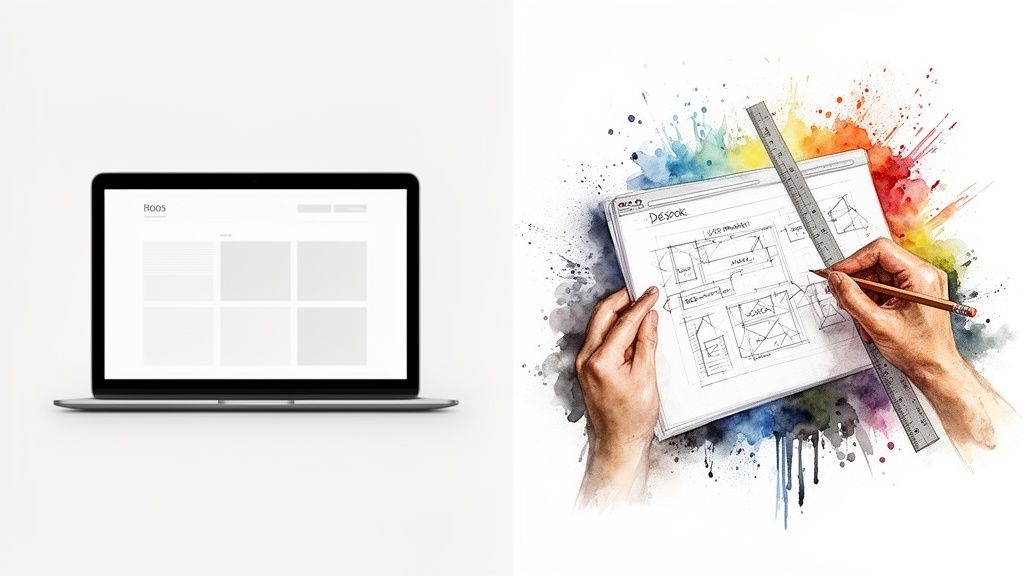
So, what's the story with templates? Platforms like Squarespace, Wix, and even Shopify have completely changed the game, making it possible for almost anyone to get online. You pick a layout you like, add your own words and photos, and you're live.
The upsides are pretty clear:
But—and it’s a big but—you are working inside a pre-built box. While you can swap out colours, fonts, and images, the core structure is set in stone. That might seem fine at first, but it can become incredibly frustrating when you want to add a unique feature or tweak how customers move through your site.
A template gets you on the road quickly, but it might not be the vehicle that can take you where you ultimately want to go. It’s a fantastic starting point, but it's not always the final destination.
Now for the other side of the coin: a custom small business website design. This is where a web design studio starts with a blank canvas and builds a site from scratch, just for you.
Think of it like a tailored suit versus one off the rack. It’s made to measure, so it just fits better.
With a custom design, you can create a truly unique brand experience that makes you stand out. You won't look like just another business using "Template 7B". Even more importantly, the site is built around your specific processes. Need a specialised booking system that talks to your calendar? A custom quote calculator for your services? A custom build makes that happen.
Of course, this approach is a bigger commitment of both time and money. But it’s an investment in a core business asset that can grow right alongside you. A custom site is built for the long haul, giving you the freedom to add new features and adapt as your business evolves. It’s a foundation you can build on, not a box you’re stuck inside.
For businesses that rely on e-commerce, understanding the tech differences is a key part of this custom journey. This comparison of Shopify vs WordPress in NZ is a great place to start that analysis.
So, which way should you go? Honestly, it depends entirely on your situation. If you're just starting out on a shoestring budget, a template is a smart and pragmatic first step. But if you have a clear vision for your brand and specific operational needs, a custom design will pay for itself many times over in efficiency, conversions, and growth.
Right, we've covered the big-picture planning and the design forks in the road. Now it's time to get down to brass tacks. What features does your website actually need to be a workhorse for your Kiwi business?
Beyond just looking good, a few things are completely non-negotiable. Think of these as the steel frame of your digital building – get them wrong, and the whole thing feels shaky from the start. This is your practical checklist for a site that customers find genuinely useful.
This one’s a biggie. We’re talking about responsive design – which is just a fancy way of saying your website automatically resizes and rearranges itself to look great on any screen, from a wide desktop monitor to a smartphone.
Ever tried to browse a site on your phone where you have to constantly pinch, zoom, and scroll sideways just to read a sentence? It’s an instant turn-off, and most people will simply hit the 'back' button. With so many Kiwis browsing the web while waiting for their flat white or sitting on the bus, a mobile-friendly site isn't just a bonus feature; it's the cost of admission.
If your site is a pain to use on a phone, you're actively showing potential customers the door. It's as simple as that.
Imagine walking into a messy, disorganised shop with no aisle signs. You’d probably turn around and walk straight out. Your website is no different. Clear, intuitive navigation is your digital signage.
Your main menu should be straightforward, using language your customers understand. A visitor should be able to find your services, see how to get in touch, or browse your products without having to think about it. A confused visitor is a lost customer, every time.
Here's a quick test:
If you can't give a firm 'yes' to all three, your navigation needs a rethink.
Nobody has the patience for a slow-loading website. A site that takes more than a few seconds to appear is a site that gets abandoned. Page speed is a crucial feature that influences everything from a customer's experience to your ranking on Google.
Just as important is your ability to manage your own content. This is where a Content Management System (CMS), like WordPress, becomes essential. A CMS is basically a user-friendly dashboard that lets you do things like add a blog post, change your opening hours, or swap out a photo without needing to ring a developer for every minor change.
A good CMS puts you in the driver's seat. It gives you the control to keep your website fresh and relevant, which is essential for engaging customers and pleasing search engines.
It’s the difference between owning your digital storefront and just renting the space. For a small business owner, that control is an absolute game-changer. And when it comes to keeping things fresh, modern tools like AI image generators for website content can help you create unique visuals that fit your brand without needing a professional photoshoot for every update.
Having this control is more critical than ever. While social media is important, New Zealand consumers are increasingly turning to a business's own website as the ultimate source of truth. In fact, a whopping 73% of Kiwis rank a business website as the most important digital tool for engagement. As people pull back from social media, your website becomes that reliable, owned asset you can always count on. Learn more about these consumer expectation findings.
Right, you've got a fantastic new website. It’s slick, it’s fast, and it perfectly captures what your business is all about. But here’s the million-dollar question: what’s the point if your customers can’t find it?
Building a beautiful website is just the first step; getting actual local customers to land on it is a completely different challenge. This is where Search Engine Optimisation (SEO) comes in. We’re not talking about some vague, global strategy here. Forget ranking worldwide—we need to get you found by the people who matter most: your local customers right here in New Zealand.
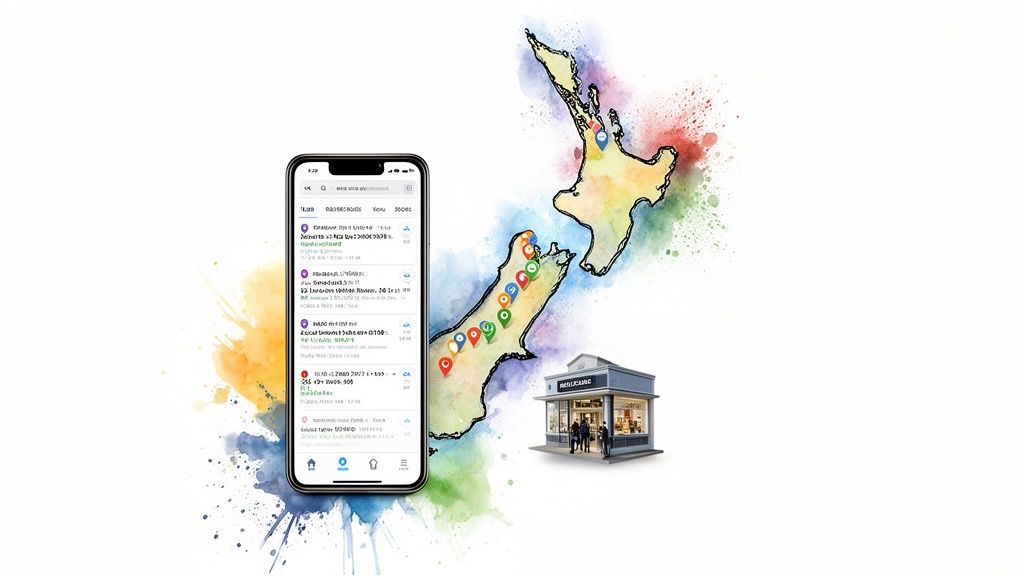
When someone in your neighbourhood searches for the service you provide, you need to be the business that pops up first. A smart local SEO strategy turns your website from a quiet digital brochure into your most powerful lead-generating machine.
Honestly, if you do only one thing for your local SEO, make it this: claim and completely fill out your Google Business Profile (GBP). This is that powerful info box that appears on the right of a Google search and in Google Maps. It's your digital storefront on the biggest search engine in the world.
Think of it as the modern-day Yellow Pages listing, but on steroids. It shows your address, phone number, opening hours, and photos. Most importantly, it’s where your customers can leave those all-important reviews.
A complete, active Google Business Profile is probably the single most impactful factor for local search ranking. It tells Google you’re a legitimate, active business in a specific location, and that’s exactly what Google wants to show its users.
Don't just set it and forget it. Keep your hours updated, post photos of your recent work or new products, and always, always respond to reviews—both the good and the bad! This consistent activity shows Google you’re engaged and trustworthy.
Now, let's talk about keywords. This is just a fancy term for the phrases people type into Google. For local SEO, you need to think hyper-local.
Nobody is just searching for "plumber." They're searching for "plumber in Ponsonby" or "emergency electrician Christchurch."
Your job is to sprinkle these location-specific phrases naturally throughout your website. It’s simpler than it sounds. Think about adding them to:
It feels a bit obvious, but you’d be surprised how many businesses miss this simple step. By clearly stating where you operate, you make it incredibly easy for Google to connect you with nearby searchers. You’re essentially raising your hand and saying, "Hey, I'm right here!"
Finally, let’s talk about trust signals. Google’s job is to recommend the best, most reputable businesses. Two of the strongest signals you can send are through customer reviews and local links.
Genuine reviews on your Google Business Profile are priceless. They provide what we call social proof—real evidence from real people that you do good work. Don’t be shy about encouraging your happy customers to leave a review; it makes a massive difference.
Local links, also known as citations, are simply mentions of your business's name, address, and phone number (NAP) on other local websites. This could be the local chamber of commerce, a neighbourhood business directory, or even a blog post from a local influencer. Consistent NAP information across these sites reinforces your location and legitimacy in Google's eyes. It's a key part of how local SEO for a small business in NZ works to build your authority.
Alright, let's get straight to the two questions every business owner asks right out of the gate: how much is this going to cost, and how long will it take?
The honest answer? It depends. But that’s not very helpful, is it?
Think of it like buying a vehicle. Asking "how much for a website?" is a bit like asking "how much for a car?" A basic runabout that gets you from A to B has a very different price tag than a custom-built ute kitted out for heavy-duty work on the farm. Your website is exactly the same—the cost and timeline are tied directly to what you need it to do for your business.
This isn't about plucking numbers out of thin air. It’s about understanding the value you're getting and the investment required for a professional small business website design that actually delivers results.
You know what? The biggest things driving the cost usually aren't the flashy animations or slick graphics. It’s the complexity humming away under the bonnet.
A simple "brochure" website is the most straightforward. It's your digital business card—it showcases your services, tells your story, and gives people an easy way to get in touch.
On the other end of the spectrum is a full-blown e-commerce store with secure payments, customer accounts, and real-time inventory management. Then you have completely custom web applications, like a bespoke booking system for a motel or a secure client portal for a law firm. Each of these layers of functionality adds to the design, development, and testing time.
Think of your website as an investment in a core business asset, not just another expense. A great site should make you money, not just cost you money.
Putting your money into proper digitalisation offers massive returns. For New Zealand SMEs, every dollar spent on tools like custom websites can generate between $2.40 and $3.10 in productivity gains. Getting this right is a huge opportunity, potentially contributing to unlocking $8.6 billion in GDP growth for the country. Discover more insights from Xero's report on NZ business productivity.
Just like the cost, the timeline for a website project can vary quite a bit. It’s never just about the "build" phase. A solid process includes discovery and planning, design mock-ups, writing the actual content, and allowing time for your feedback and revisions.
To give you a clearer picture, here’s a rough guide to how long different types of projects typically take.
This table provides an estimated timeline for different types of website projects to help you plan accordingly.
| Website Type | Estimated Timeline | Key Factors Influencing Time |
|---|---|---|
| Simple Brochure Website | 4–6 Weeks | Client provides content promptly, minimal revisions, standard features. |
| Small E-commerce Store | 8–12 Weeks | Number of products, payment gateway setup, custom shipping rules. |
| Large E-commerce / Custom Features | 12–20+ Weeks | Complex product variations, third-party integrations, bespoke functionality. |
| Custom Web Application | 16+ Weeks | Detailed planning and scoping, unique business logic, extensive testing. |
A simple brochure site might come together in just a few weeks. However, a more complex project like an e-commerce platform with hundreds of products could easily take a few months to get just right.
For a more detailed breakdown, check out our guide on how much a website costs in NZ. It unpacks the different tiers of investment and will give you the confidence to have a clear, productive conversation with any web design studio.
This isn’t about a fixed price list but about empowering you. When you understand what drives costs up—and where you can be savvy with your budget—you can plan properly from the start and avoid any nasty surprises down the road.
Popping the champagne after your website launches feels like crossing the finish line, doesn't it? It’s a huge milestone. But here’s a little secret from those of us who do this every day: the launch isn't the end. It's actually the starting gun for the next, even more important, phase.
A website isn't a billboard you just put up and walk away from. Think of it more like a new car you’ve just driven off the lot; it needs ongoing care to keep it running smoothly and securely on the digital highway. If you ignore it, it’s like never changing the oil—sooner or later, things are going to start to break down.
Let's be honest, the term "website maintenance" probably sounds a bit dull. But it’s the simple, consistent stuff that protects your investment and keeps your site in good nick. Think of it as your website's basic warrant of fitness – it’s absolutely non-negotiable for any serious business.
It really just boils down to three core tasks:
Now for the really interesting part. Once your site is live and humming along, you can start listening to what it tells you. This is where the magic of website analytics comes in, and you definitely don’t need a data science degree to get your head around it.
Your website data is your customer feedback loop. It's the most honest focus group you'll ever have, telling you exactly what people like, what they ignore, and where they get stuck.
With powerful (and free!) tools like Google Analytics, you can get a proper look behind the curtain. You can see how many people are visiting your site, which pages are getting all the attention, and even which town they’re browsing from.
This information is pure gold. Are visitors from Christchurch spending more time on your services page than those from Auckland? Is that new blog post you wrote bringing in heaps of traffic from Google search? This data stops you from just guessing. It lets you make smart, informed decisions to improve your website over time, showing you exactly what’s working and, just as importantly, what isn’t.
It's completely normal to have a few questions swirling around before you dive into a new website project. Honestly, it can feel like a lot to take in at first. Let's tackle some of the most common questions we hear from Kiwi business owners just like you.
This is always the first question, and for good reason! The honest answer is a bit like asking, "How much does a new car cost?" A simple, elegant site that showcases your services might start from a few thousand dollars, whereas a complex e-commerce store with all the bells and whistles is naturally a bigger investment.
The final price tag really comes down to the features you need. Things like custom design work, online payment systems, and special integrations all play a part. The best way forward is to have a clear idea of your budget and your absolute "must-haves" before you start talking to a design studio. That way, the conversation is productive right from the get-go.
Patience is a virtue, but you've got a business to run! A straightforward small business website can often be designed, built, and launched in 4 to 6 weeks. This timeline works best when you have your content (like text and photos) ready to go and can give feedback pretty quickly.
For bigger, more complex sites, especially those involving e-commerce, you should plan for something closer to 8 to 12 weeks or more. Think of it like building a house—a solid foundation of planning at the start makes the whole construction phase go much smoother and faster.
Let me ask you this: would you open a shop in the middle of a forest with no roads or signs? Of course not! That’s what a website without SEO is like. You absolutely need it. Search Engine Optimisation (SEO) is simply the process of making your website visible to people who are already looking for you on Google.
For a Kiwi business, local SEO is critical. It’s the magic that helps you pop up when someone in your area searches for "electrician in Christchurch" or "best cafe in Auckland." Without it, you're essentially invisible to a massive group of potential customers who are ready to buy.
You bet. Any professionally built website today should be built on a Content Management System (CMS), like WordPress. A CMS is just a user-friendly dashboard that lets you log in and make changes yourself, without needing to write a single line of code.
A good CMS puts you in the driver's seat. You can update your opening hours, add a new blog post, or swap out photos whenever you like, giving you full control over your digital storefront.
Ready to build a website that works as hard as you do? The team at NZ Apps specialises in professional small business website design that gets real results for companies in Auckland, Christchurch, and right across New Zealand. Let's have a chat about your project.