
You're a founder in Wellington. It's 11 pm, you're staring at a 40-question survey, and the preview still looks like homework. You want to know whether customers will pay for a new plan. Somehow, you're also asking about brand values, dashboard colours, and how they first heard about you.
Your survey is probably longer than it needs to be. The problem usually isn't that your audience won't help. It's that you've asked them to do your team's thinking before they can give you an answer.
Good survey design best practices start with restraint. Ask about a clear decision, use words your customers understand, and make the form work on the phone they're holding. Then check who you've reached, what you're collecting, and whether your invitation belongs in their inbox.
A finished questionnaire isn't the deliverable. A decision you can defend is.
For NZ and AU product teams, that means more than tidying up a Google Form. Pricing research needs clear currency. Recruitment needs care around privacy and spam rules. A launch-city survey needs people beyond your most enthusiastic LinkedIn followers.
You don't need a grand research department. You need a lean plan, a usable form, and enough discipline to delete the questions everyone finds interesting but nobody will act on.
Write the decision before you open SurveyMonkey, Typeform, or a blank document. What will you do differently once the answers arrive? If you can't finish that sentence, the survey isn't ready.
Say a Wellington SaaS team is weighing a pricing change. It has a basic plan, a team plan, and an enterprise offer. Instead of asking customers to rate every feature, it maps each question to a choice about packaging, buyer needs, or reasons to stay on the current plan.

A useful planning document pairs each question with the action its answer could change. Asking about team size might inform packaging. Asking about favourite software brands probably won't.
The same logic applies when assessing educational outcomes after conferences: decide what counts as a useful outcome before collecting reactions. Satisfaction alone won't tell you whether someone learned something they can use.
For local audience planning, use NZ market research guidance before choosing a distribution channel.
Be clear about uncertainty too. The Ministry of Justice's survey interpretation guidance explains that sampling error depends on sample size, the estimate, and survey design. A poll of keen users can guide a product discussion; it can't automatically speak for the whole market.
Your customer might be answering between support tickets, on a bus, or while closing the shop. Treat their attention as borrowed, not owed.
For an Auckland pre-launch feature test, ask about the task, the current workaround, and the barrier to trying something new. Don't bolt on a brand study because you've already got their attention. A short survey with a clear purpose beats a short survey full of vague questions.

A sprawling matrix can demand more effort than several plain questions. So can a required text box asking someone to explain their entire workflow.
Typeform's single-question screens can suit a focused form, but extra screens won't rescue muddy wording. In Google Forms or SurveyMonkey, use branching so someone who hasn't tried a feature doesn't have to rate it.
There's a trade-off. Cutting too hard can leave you with a score and no clue what caused it. Keep a targeted follow-up, such as asking what stopped someone from completing setup.
An in-app NPS prompt might give you a quick sentiment signal. It won't explain which onboarding step needs work unless you ask about that step.
Also, don't add a promotional offer to a research invitation as an afterthought. Have whoever owns email compliance review the message, not just the questionnaire.
Suppose an Australian healthtech team asks whether its app is useful and easy to use. A patient finds the reminders helpful but can't work out how to change them. Which answer should they choose?
They shouldn't have to solve your wording problem. Split usefulness from ease of use, then connect each answer to a product decision. One may justify keeping the feature; the other may call for a redesign.

For a fintech signup flow, ask about the ease of completing setup separately from the time it took. Better still, use product logs for elapsed time if you have a suitable basis to use them. Ask people about the parts you can't observe, such as confusion or lack of trust.
Avoid leading wording too. Asking how much someone loved a dashboard makes praise sound like the expected answer. Ask how well it helped them complete a named task instead.
Wording test: Ask someone outside the product team to explain the question back to you. Don't help them.
Watch terms such as active account, regular use, and affordable. A founder, finance manager, and frontline user may read them differently.
For NZ and AU pricing research, specify NZD or AUD and whether the displayed amount includes GST. Otherwise, respondents may judge different offers without anyone noticing.
Keep sensitive details out of free-text prompts where possible. A healthtech team deciding how to improve reminders usually needs feedback on the reminder, not a patient's full clinical history. Add a clear instruction not to include personal medical details when they aren't needed.
A Sydney edtech team wants to know whether a redesigned lesson planner is easier to use. It asks about agreement before the release, satisfaction afterwards, then compares the averages.
That's not a clean comparison. Keep the question, scale, and collection point stable when you want to track change. If you change them, mark the break rather than pretending the results are interchangeable.
For ease of use, label the points very difficult, difficult, neither easy nor difficult, easy, and very easy. Keep the direction consistent throughout the form.
Agreement scales suit statements, but a direct question often takes less mental work. Asking how easy it was to create a lesson plan is clearer than asking for agreement with a statement about the planner's ease.
A midpoint can capture a genuine neutral view. Removing it forces a direction, which may suit a specific choice task but shouldn't be a trick to make results look decisive.
For a pricing-tier decision, don't rely on a satisfaction scale alone. Ask which package fits the respondent's work, what it would replace, and what would stop them buying. A favourable rating isn't a purchase order, sadly.
Preserve the exact wording in your survey record, along with the version and audience. That makes later comparisons easier and helps you explain why apparently similar results don't always mean the same thing.
You ask customers to list every annoying part of your product. Then you ask how satisfied they are overall.
You may have collected a useful complaint list, but you've also given people a particular frame for the overall rating. For a Christchurch SaaS team deciding whether to rebuild onboarding, that matters. Measure the broad view before prompting a detailed hunt for faults.
Start with a simple eligibility question if you need one. Then ask about recent use and the main outcome you care about. Group related feature questions together, and place sensitive demographic questions later unless they're needed to route the form.
An important exception is screening. If your launch-city study needs business owners in a service area, establish that early. Don't let someone complete the form before revealing they weren't eligible.
Consider this flow for an onboarding decision:
Randomise feature lists when the order has no meaning. Don't randomise a sequence that must make sense, such as steps in a setup process.
For a launch-city choice, keep Auckland, Wellington, Christchurch, or Australian locations separate from your sales pitch. Describing a city as your exciting next hub before asking about demand isn't neutral.
Put the privacy explanation at the start, though. Saving sensitive questions for later doesn't mean saving disclosure until people have already shared their information. They need that context before deciding to take part.
Open your survey on a phone and try it with a thumb. If you need to zoom, turn the screen sideways, or remember column labels while scrolling, change the form.
For a Brisbane app team deciding which signup fields to remove, the survey should work in the same setting as signup. Test the actual route into the form, including the in-app browser, consent text, and final submit button.
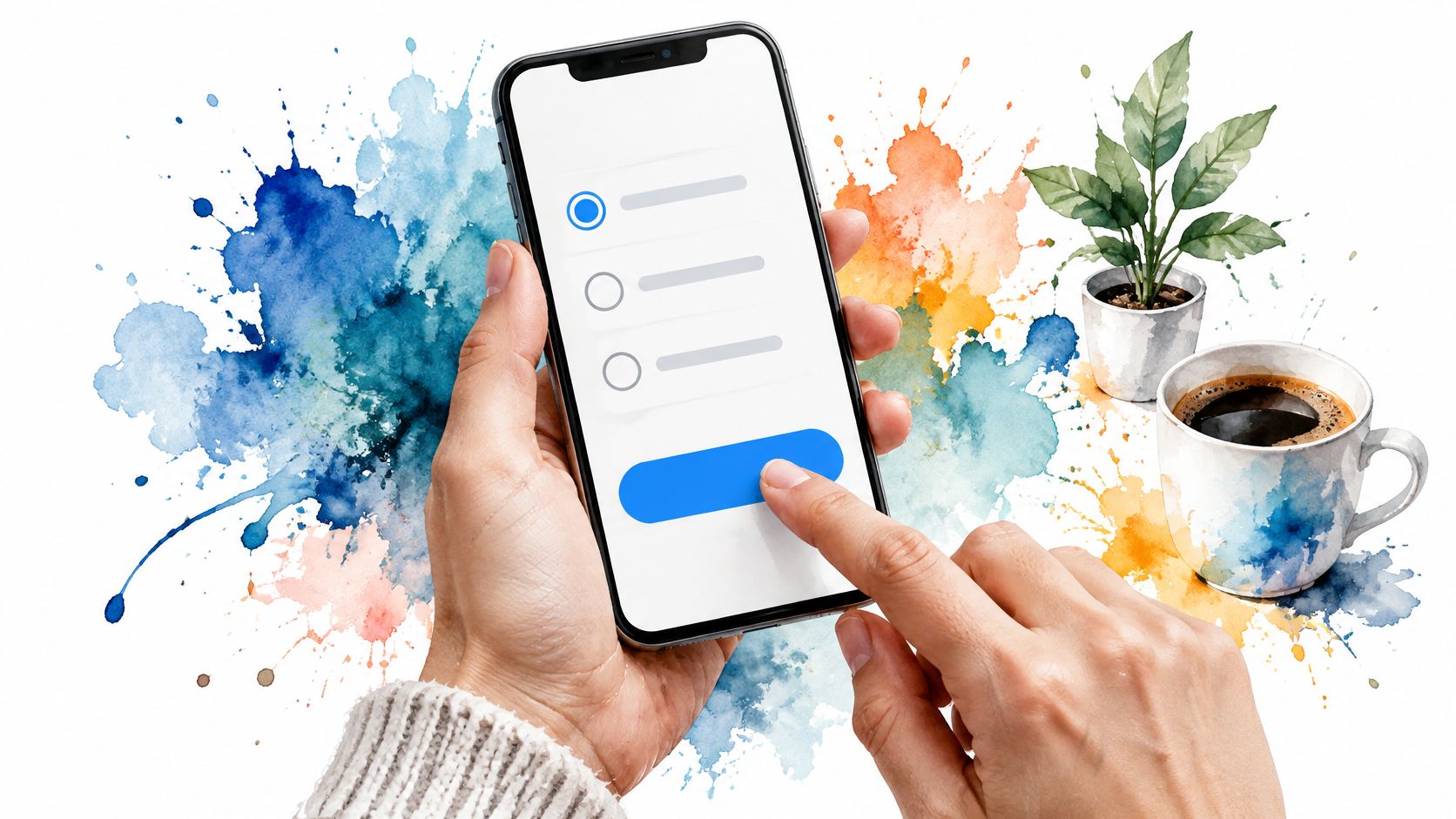
Google Forms and Tally are sensible starting points for a small team. Still, a mobile layout isn't a guarantee that your questions are usable. Long dropdowns, dense grids, and heavy images can make a simple form awkward.
The Department of Conservation's Survey of New Zealanders methodology reported that 61% of completed surveys were submitted online and 39% by hard copy. That's a useful reminder to consider an alternative route when access or preference matters.
For a regional service launch, offer a suitable assisted or offline route if your intended users need it. Keep the wording consistent, and record how each response was collected.
Low-connectivity planning, familiar to teams using voter contact apps for low-connectivity areas, matters in product research too. Check loading, error recovery, and whether a lost connection wipes out answers.
Test on an iPhone and a mid-range Android, not just the newest device in the office. Check keyboard behaviour, readable text, tap targets, and screen-reader labels.
If you offer an offline route, carry the same privacy explanation into it. A paper form or assisted interview still involves collecting information.
Your team knows what active account means. Your customers may not.
Say a Melbourne fintech founder is deciding whether to retire an account type. A pilot could reveal that customers read active as recently logged in, holding funds, or having a current subscription. Those answers can't support the same decision.
Recruit people who resemble the intended audience, including those who are less confident with software. Ask them to work through the form, then explain what they thought each question meant. Don't defend the wording when they misunderstand it.
Stats NZ's guide to good survey design recommends assessing likely response before fieldwork, including through pilots, and identifies wording, length, order, sensitivity, and ease of response as participation factors. Treat the pilot as a design test, not a ceremonial final check.
Use a focused user-testing process to capture pauses, confusion, and routing faults. Watch what people do as well as what they say afterwards.
A pilot that exposes a bad question has done its job. A polite thumbs-up tells you much less.
For an Auckland marketplace changing seller onboarding, include new sellers, not just experienced users who know the quirks. If you revise a key question, test it again.
Also ask what participants think will happen to their answers. If they assume anonymity but you're attaching account IDs, you've found a privacy communication problem before launch.
A beautifully worded survey can still reach the wrong people or collect information you don't need. Before a Sydney SaaS team changes pricing, it should define whether it wants views from all customers, paying account owners, or potential buyers. Those are different audiences.
Trust and sample quality belong in the design, not the footnotes. In the Office of the Privacy Commissioner's survey findings, 82% of respondents wanted more control and choice over the collection and use of their personal information.
In New Zealand, consider the Privacy Act 2020 and its Information Privacy Principles. In Australia, check whether the Privacy Act 1988 and Australian Privacy Principles apply to your organisation and activity. Use the NZ privacy guidance as a starting point, not a substitute for advice on a sensitive project.
Survey invitations also need assessment under NZ's Unsolicited Electronic Messages Act 2007 and Australia's Spam Act 2003. Check the message's purpose and content, including any promotion, and the applicable consent, sender-identification, and unsubscribe requirements.
Explain what you collect, why, who processes it, where it's stored, and when it's deleted. Disclose relevant third-party and AI processing. Don't call responses anonymous if account IDs identify people; explain confidentiality instead.
Separate prize-draw contact details from answers. State how withdrawal works, including when it won't be possible to find an anonymous response. Teams handling identifiable feedback should also design effective PII awareness training for staff with access.
The University of Auckland's survey-methods report identifies uneven response patterns across age, gender, and ethnicity, and describes oversampling and multiple-ethnicity responses.
For a launch-city decision, recruit beyond your email fans. Plan culturally appropriate testing with Māori and Pacific participants where relevant, allow multiple ethnic identities, and disclose small subgroup bases.
Weighting can change an estimate when overrepresented groups answer differently, but it can't invent missing views. Report weighted and unweighted results where used, explain the method, and don't dress a convenience sample up as the whole market.
| Item | Best for | Main trade-off | Stage of the survey |
|---|---|---|---|
| Start With the Decision, Not the Questions | Connecting questions to a specific decision | Takes upfront planning and may limit discovery | Planning |
| Keep It Short (Your Respondents Are Busy, Not Bored) | Improving completion and reducing respondent fatigue | Less room for nuance | Drafting and design |
| One Question, One Idea (No Double-Barrelled Traps) | Getting clear, unbiased answers | Separating ideas can add questions | Question writing |
| Pick Scales You Can Actually Read (and Label Every Point) | Consistent responses and trend tracking | Responses may cluster in the middle or avoid extremes | Question and response design |
| Order Matters (Warm Up Before You Get Personal) | Creating a logical flow and reducing order effects | Some respondents may not reach questions placed at the end | Survey sequencing |
| Design for the Thumb First (Mobile Matters More Than You Think) | Making surveys easy to complete on phones | Complex question types may not work well on small screens | Layout and usability testing |
| Pilot It (Your Own Team Is Not a Test Group) | Finding confusing wording and logic issues before launch | Adds time and may miss rare edge cases | Pre-launch testing |
| Protect Privacy, Consent, and Sample Quality | Building trust, meeting requirements, and improving sample quality | Compliance and representative sampling can take time and resources | Sampling, distribution, and data handling |
The hardest part of survey design is rarely the software. It's telling your team that an interesting question doesn't belong in this form.
Choose a decision you genuinely need to make. For a pricing change, that might mean which customer needs belong in each tier. For onboarding, it might mean which step to simplify. For a regional launch, it might mean where to run a demand test next, not where to commit the whole business.
Use the survey for what it can tell you. People can describe needs, recent problems, and reasons for hesitation. Their answers still need context from product behaviour, interviews, support records, or a real purchase test.
Before launch, name the person who will review responses and act on them. Agree how you'll handle incomplete forms, duplicate submissions, sensitive comments, and groups you haven't reached well enough. Otherwise, you'll end up arguing about the method after someone spots a result they dislike.
Keep the invitation and the form together during review. A calm, clear questionnaire won't undo an email that sounds like a sales ambush. Nor will a tidy privacy notice help if your team can't explain where exported answers end up.
Then send a friendly reminder to eligible non-respondents where it's appropriate and permitted. Don't keep nudging people who have declined or unsubscribed. Persistence isn't a research method.
You may get fewer answers than you hoped. That's frustrating, but it's better to see the limit than hide it behind a polished chart. A smaller, clearly described set of responses can support a sensible next step without pretending to settle every question.
Open your current draft and write the decision at the top. Delete what doesn't serve it, run a real pilot, and check the privacy notice and phone experience before sending. Make every question earn the effort you're asking from someone else.
NZ Apps publishes practical resources and maintains a directory of app and tech companies across New Zealand and Australia. Visit NZ Apps for regional research guidance, software roundups, and company coverage to support your next product decision.
Add your NZ or Australian app or tech company to the NZ Apps directory and get discovered by founders and operators across the region.
Get ListedReach tech decision-makers across New Zealand and Australia. Sponsored and dofollow editorial links, permanent featured listings, and sponsored articles on a DA30+ .co.nz domain.
See Options