
You know what? Just having a website isn't enough anymore, especially for a Kiwi business. A great website for a small business is way more than a digital brochure; it's a 24/7 salesperson, a customer service hub, and your brand's first impression, all rolled into one powerful tool that drives real growth.
Let's get one thing straight. Thinking of your website as just another page on the internet is a massive missed opportunity. It’s time for a crucial mindset shift.
Imagine hiring an employee who works tirelessly around the clock, never calls in sick, and perfectly presents your business to every single person who walks through your digital door. That’s what professional web design for small businesses creates. It’s an asset, a machine built for a purpose.
Is your current digital shopfront inviting and professional, or does it look a bit tired and neglected? That first impression is made in less than a second, and it directly influences whether a potential customer trusts you enough to stick around or clicks away to a competitor. Honestly, can you afford for them to click away?
Think about every bit of marketing you do. That Facebook ad you’re running, the flyer you dropped in local letterboxes, even the sign writing on your ute—where do they all point? They all lead back to your website.
It’s the central hub, the anchor that holds your entire marketing strategy together. A great site makes people feel confident about choosing you, turning their initial curiosity into actual conversions.
A website's job isn't just to look pretty; its job is to solve a customer's problem quickly and build enough trust to earn their business. It’s the difference between a window shopper and a paying customer.
The numbers back this up, especially right here in New Zealand. Recent data shows that a whopping 44 percent of small businesses in New Zealand sell online exclusively, while another 41 percent operate a hybrid model of online and in-person sales. With the vast majority of Kiwi businesses now selling online, a high-performing website is completely non-negotiable.
So, what jobs should this "employee" be doing for your business day in and day out? It's not just one thing; it's a combo of critical roles that directly support your business goals. A professionally built site is engineered to handle these tasks seamlessly.
Here’s the thing, we can break down the key responsibilities into a few core functions.
Your Website's Core Jobs
| Core Function | Why It Matters for a Kiwi Business |
|---|---|
| Lead Generation | Captures details from interested Kiwis via contact forms, feeding your sales pipeline even after you've knocked off for the day. |
| Making Sales | Your virtual storefront, securely processing sales from Auckland to Invercargill at any hour. |
| Building Credibility | A polished design with clear info and client testimonials shows you're a legit, trustworthy local business. |
| Answering Questions | Acts as a 24/7 FAQ for hours, services, and location, saving you time and helping customers instantly. |
Ultimately, a well-built website doesn't just sit there—it actively contributes to your bottom line.
Of course, getting traffic is only half the battle. To really make your website a productive asset, it's essential to continually learn how to improve website conversion rates. This is all about turning those visitors into loyal, paying customers.
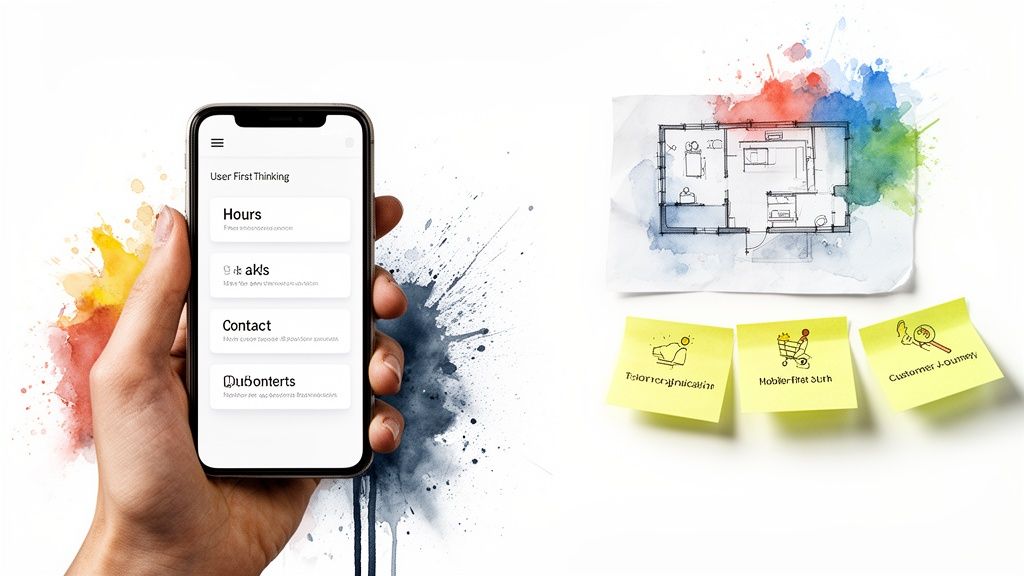
Before we even get to the fun stuff like picking colours or designing a logo, we need to hit pause. The most critical part of web design for small businesses isn't really about "design" in the visual sense. It’s about empathy.
It’s about putting yourself in your customer’s shoes. What problem are they trying to solve when they land on your website? Are they in a mad rush, trying to find your opening hours on their phone? Or are they casually browsing, comparing quotes for a project next month?
Every single person who visits your site has a goal. Your website’s number one job is to help them tick that box with zero fuss.
Let's use a simple analogy. Imagine you're setting up a physical shop on your local high street. You wouldn't hide the till in a back room without any signs, would you? Of course not. You'd make it obvious, easy to find, and simple to use.
That’s user experience (UX) in a nutshell. It’s the digital version of a well-laid-out, friendly shop. Just like you wouldn't want clutter blocking the aisles, you don't want confusing menus or annoying pop-ups getting in your online customer’s way. Every click should feel natural, guiding them exactly where they need to go.
A beautiful website that’s confusing to use is like a stunningly decorated cafe that has no front door. It might look great, but it’s utterly useless to the people you’re trying to serve.
So, how do we get a handle on what customers actually want? It all starts by mapping out their journey.
A customer journey map might sound a bit technical, but it’s really just a story. It’s the story of how someone interacts with your business, from the first moment they realise they need something to the point where they become a happy, repeat customer.
Thinking through this path helps you anticipate what they'll need at every step. For a typical Kiwi business, that could mean a few different scenarios:
See how different those needs are? A one-size-fits-all website simply won’t cut it. This is exactly why getting your web design for small businesses right means putting your user first, always.
Here’s the reality of your New Zealand customers: most of them are finding you on their phones. They’re scrolling while waiting for a flat white, browsing on the bus, or looking you up from the couch.
This is why we talk about mobile-first design. It doesn’t just mean your site works on a phone. It means you design the mobile version first, then adapt that clean, focused experience for bigger screens like a desktop. This forces you to concentrate on what's absolutely essential.
It’s all about making their life easier, not just making your site look pretty. If a customer has to pinch and zoom just to read your text, they’re gone. They’ll simply tap back to Google and click on your competitor—the one who made things a little less frustrating. And really, can you blame them?
Alright, so you’ve decided to get a website sorted. Brilliant. But then you hit the first major hurdle, and honestly, it can feel like a bit of a minefield. Shopify, Squarespace, WordPress, or a completely custom build? What on earth is the right choice?
Here’s the thing: there's no single 'best' answer. Anyone who tells you otherwise is probably trying to sell you something specific. The only thing that matters is finding the platform that's best for your Kiwi business, right here, right now. This is all about making an informed choice you won’t be kicking yourself for in twelve months' time.
Let’s cut through the jargon and look at the most popular options for small businesses across New Zealand.
You’ve probably heard these names thrown around. It helps to think of them as different types of vehicles; you wouldn't use a slick sports car to haul timber, and you wouldn't take a ute for a track day. Each one is built for a different job.
Choosing the right platform is about more than just picking the one with the prettiest templates. As you weigh up your options, you'll also need to consider how you'll handle online transactions and integrate secure payment options. Partnering with the right people for expert payment processing solutions is crucial, especially when dealing with local gateways like POLi or the Buy Now, Pay Later services so popular in New Zealand.
So, how do you decide? Let’s lay it all out in a simple table.
This table gives a quick snapshot of the main contenders and where they shine for local businesses.
Website Platform Comparison for NZ Businesses
| Platform | Best For | Typical Cost | Ease of Use |
|---|---|---|---|
| Squarespace / Wix | Service-based businesses, portfolios, restaurants, and startups needing a simple, elegant web presence quickly. | Low (Monthly Subscription) | Very Easy |
| Shopify | Any business focused on e-commerce, from small artisan shops to growing retail brands selling physical or digital goods. | Medium (Monthly + Fees) | Easy |
| WordPress.org | Businesses wanting maximum control, flexibility, and the ability to grow. Great for content-heavy sites and custom functions. | Varies Wildly (Hosting + Plugins) | Moderate to Difficult |
For a lot of Kiwi businesses, the final decision often comes down to two of the heavyweights. If you're wrestling with this specific choice, we have a detailed guide comparing the two that can help clarify things even further. You can learn more about Shopify vs WordPress for NZ businesses in our article.
The right platform doesn’t just fit your business today; it gives you room to grow tomorrow. A simple builder is perfect for a local cafe, but a growing e-commerce brand will quickly need the muscle of something more robust.
Ultimately, this choice sets the foundation for your entire online presence. A little bit of thought now saves a massive amount of hassle—and money—down the line. Don’t rush it. Think about where your business is headed, not just where it is today.
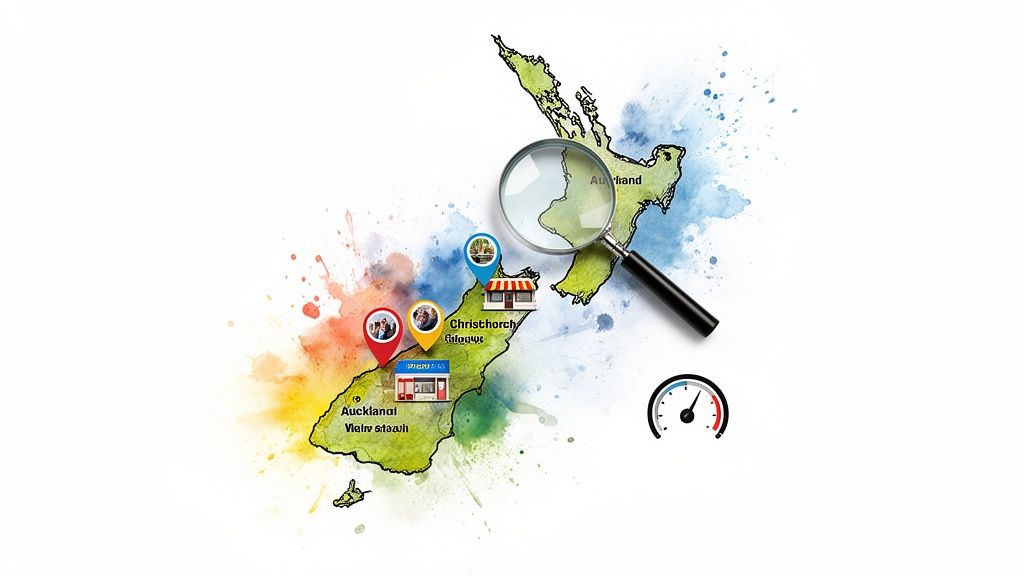
Let's be honest. You could have the most stunning website in all of New Zealand, but if your customers can't find it, what's the point? It’s like opening a brilliant new shop down a hidden, unmarked alleyway.
So now, we need to talk about getting seen by the right people—your local customers, whether they're in Auckland, Christchurch, or Invercargill. It's all about making Search Engine Optimisation (SEO) work for the Kiwi market, without the confusing jargon.
The goal is simple. When someone in your neighbourhood searches for a 'plumber in Ponsonby' or 'cafe in Riccarton', your business needs to pop up. That’s the entire game.
This all starts with getting inside the heads of your customers and figuring out what they’re actually typing into Google. It's not about stuffing your site with awkward, robotic phrases; it's about thinking and talking like a local.
Are people really searching for "bespoke artisan coffee roasters," or are they just looking for the "best flat white near me"? It's almost always the simpler, more natural option. Good local SEO means using the language your customers use every day.
Take a moment to think about your own business. What specific problems are you solving for people in your community?
These are the kinds of specific, location-based phrases that bring in customers who are ready to spend money. It’s all about relevance, not just traffic. Making sure your website’s content directly answers these local needs is your first big step to getting found.
You know that handy box that appears on the right of a Google search, showing a business's hours, phone number, and a map? That's their Google Business Profile, and it is single-handedly the most powerful free marketing tool you have.
If you do absolutely nothing else for your local SEO, do this. Claiming and completely filling out your profile is non-negotiable. It’s how you tell Google you're a real, active business at a physical location. You need to fill out every single section: add photos, list all your services, and—this is a big one—encourage your happy customers to leave reviews.
Think of it this way: not having a complete Google Business Profile is like having an unlisted phone number. You might be the best in town, but you're making it incredibly difficult for people to find you and give you their business.
With so many Kiwis searching on their phones while they're out and about, this profile is often the very first impression they'll have of you. To get this sorted properly, check out our complete guide on local SEO for small business in NZ.
Here’s a hard truth: a slow website kills business. We’ve all been there, clicking a link and then just waiting... and waiting. What do you do? You hit the back button and go somewhere else. Your potential customers are exactly the same.
Google knows this, which is why page speed is such a major ranking factor. A fast, snappy website creates a better experience, and Google rewards sites that look after their visitors. This is an absolutely critical part of effective web design for small businesses.
It’s especially important in New Zealand. With 88 percent of Kiwis active on social media, your website needs to be ready for sudden bursts of traffic. If a social media post takes off and sends a flood of people to your site, a slow-loading page will waste that entire opportunity. You can find more great insights into the NZ social media landscape on Conv.co.nz.
Making sure your images are optimised, your hosting is up to scratch, and your site’s code is clean can make a massive difference. It's a technical detail that has a very real, very human impact on your bottom line.
Right, let’s get down to the two things that often keep business owners up at night: money and time. How much should a website actually cost? And how long is this whole process going to take? It's far too easy to get lost in a sea of confusing quotes and vague promises.
Let's pull back the curtain. A transparent look at budgeting and timelines is essential because a good web design process shouldn't have any nasty surprises. The cost of a website for a small business isn't a single number; it's a collection of parts that all contribute to the final product.
You’ve got the initial design and development, which is the big one. But then there are the ongoing costs—things like website hosting (renting your spot on the internet), domain name renewal, and any premium software or plugins needed to make it all work. It’s a bit like buying a car; there’s the sticker price, and then there’s the ongoing cost of fuel and maintenance.
Honestly, this is the ultimate "how long is a piece of string?" question. A simple, clean brochure-style website built on a template might only set you back a few thousand dollars. However, if you're after a full e-commerce setup with custom features, you could be looking at a figure well north of $10,000.
The price tag is directly tied to the complexity and time involved. A custom design takes more creative energy, and unique features require more development hours. For a much deeper look into the specifics, we’ve put together a complete guide on how much a website costs in NZ.
As for timelines? A basic site, assuming you have all your text and images ready to go, could be live in 4-6 weeks. A more complex project? You should probably budget for 8-12 weeks or more, from the first meeting to launch day. Almost every single time, the biggest hold-up is waiting for content from the business owner.
Now, let's touch on the boring—but incredibly important—legal bits. Getting this sorted from the start will save you a world of headaches down the road. It might sound dry, but it's a fundamental part of running a professional, trustworthy Kiwi business online.
Think of your legal policies as the foundation of trust with your customers. A clear privacy policy doesn't just tick a legal box; it tells your visitors that you respect their data and run a legitimate operation.
Here in New Zealand, there are a few key things you absolutely must have sorted on your website. These aren't optional extras; they're your legal obligations.
Here’s a quick checklist to make sure your bases are covered:
Getting these elements sorted isn't just about avoiding trouble. It’s a powerful signal to your customers that you're a professional, credible business they can feel good about dealing with.
Alright, you’re ready to get the ball rolling. So, let’s get practical. This isn't just a list of things to do; it’s a straightforward action plan that will take you from that first lightbulb moment right through to launch day and beyond.
Think of this as your project manager in a checklist. It's designed to make the whole process feel less intimidating and a lot more manageable. After all, you’re not just building a website—you're creating a vital asset for your business.
Before a single line of code is written or a colour palette is chosen, you need to get organised. This first phase is all about getting clear on the 'what' and 'why'. Honestly, nailing this stage makes everything that follows run so much more smoothly.
Now for the part where you see your vision start to take shape. This is where you’ll work closely with a designer or agency to turn your ideas into a real, functioning website. The absolute key here is clear communication and giving good feedback.
The infographic below gives you a simple look at where your investment typically goes during a project.
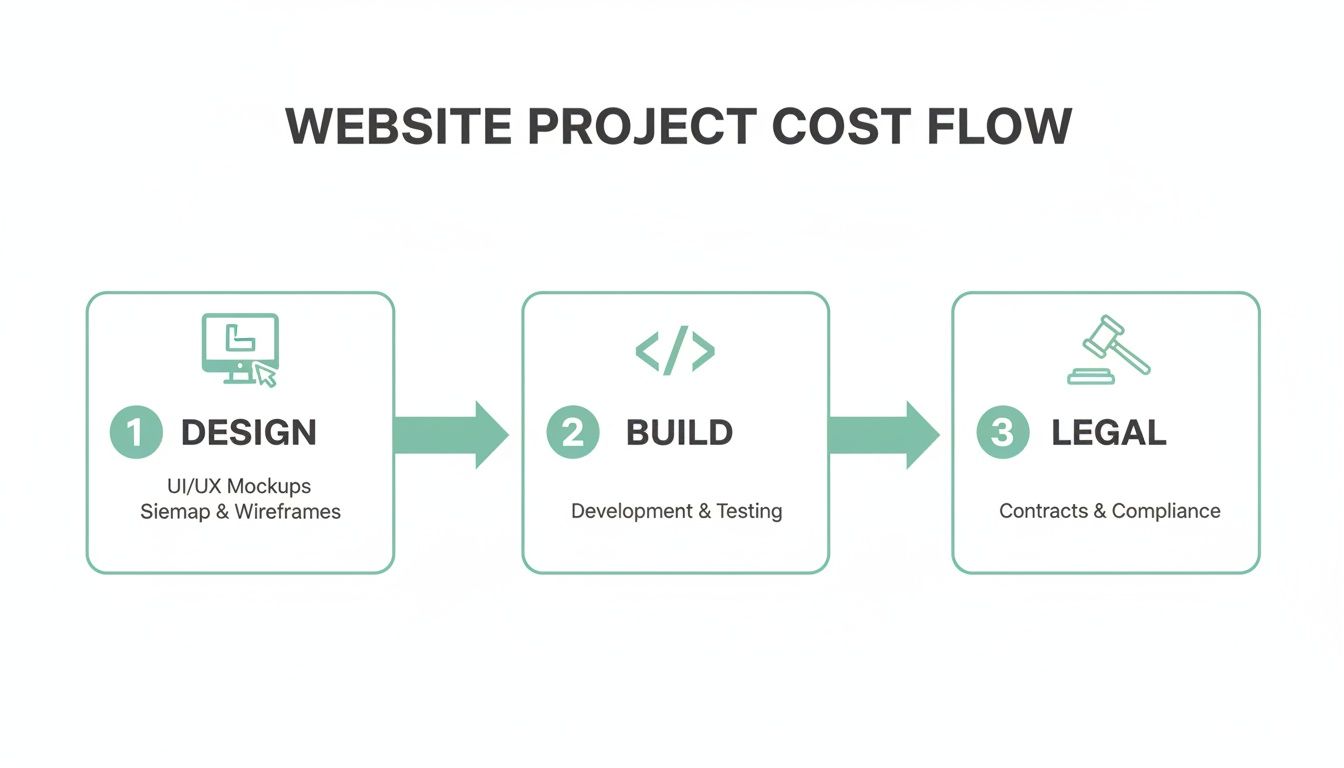
This visual breaks it down into the core stages, showing that the bulk of the effort—and cost—is split between the creative design and the technical build, with legal compliance being a critical final check.
The feedback and revision stage is a bit of a dance. Your job is to give clear, consolidated feedback that ties back to your business goals. The designer’s job is to translate that into a design that is both beautiful and functional.
It’s a partnership. Be open to their expertise, but don’t ever be afraid to speak up if something doesn’t feel right for your brand.
Hitting that 'go live' button isn't the finish line; it’s the starting pistol. Now the real work of making your website a success begins. It needs to be looked after, updated, and promoted to make sure it’s actually doing its job.
Look, we get it. Kicking off a website project for your business here in New Zealand can feel like opening a can of worms. You’ve probably got a dozen questions buzzing around your head. Let's tackle some of the most common ones we hear from Kiwi business owners just like you.
This is the million-dollar question, isn't it? The honest answer is: it completely depends. Anyone throwing a fixed price at you before understanding what your business actually needs is selling you short.
You could get started with a DIY platform like Squarespace for a few hundred dollars a year. But if you're after something unique that’s built to grow with you, a custom-designed website from a professional agency typically lands somewhere between $5,000 to $20,000+. That price difference comes down to the details—things like e-commerce functionality, special features, and the overall complexity of the build. Your best bet is always to get a few detailed quotes based on your specific goals.
Need? Maybe not. But should you have one? Absolutely. A blog is hands down one of the most powerful tools you have for getting found by local customers online. It’s your secret weapon for local SEO.
A blog gives you a place to answer the questions your customers are already asking, show off your expertise, and specifically target the phrases people are typing into Google. Think about it: a local plumber writing a post on "How to fix a leaking tap in Auckland" is directly answering a customer's need. It tells Google you’re a local authority, which can do wonders for your search rankings over time.
Again, this comes back to the scope of the project. A simple site using a pre-made template could be live in a week or two—but that’s a big if. It assumes you have every single word, photo, and product detail ready to hand over from day one.
A more realistic timeline for a custom project is anywhere from 6 to 12 weeks, from our first chat to the big launch day. A little insider secret for you: the single biggest hold-up on almost every project is waiting for the client to provide the content (the text and images).
Of course! In fact, you should insist on it. Any modern website worth its salt is built on a Content Management System (CMS) like WordPress or Shopify. These platforms are designed specifically so that non-technical people can easily manage their own site.
Your web designer should walk you through the basics so you feel confident making your own updates, whether that’s adding a blog post, swapping out an image, or changing your opening hours. You should never feel like you're held hostage, needing to call a developer for every tiny tweak.
Ready to build a website that works as hard as you do? The team at NZ Apps is here to help Kiwi businesses shine online. Let's have a chat about your project.
Book a free, no-obligation consultation today.