
It always kicks off with that simple search, doesn't it? "Website designer near me." But what happens after you hit enter is what truly makes or breaks your online presence. For a Kiwi business, especially in hubs like Auckland or Christchurch, finding the right local partner is about so much more than just living in the same city. It’s about finding someone who just gets it. You know?
Let me explain. Your website is your hardest-working employee. It’s your digital storefront, your sales team, and your brand ambassador, all rolled into one and working 24/7. In New Zealand, customer expectations are sky-high, and a clunky, outdated site just won't cut it anymore. It’s a bit like showing up to a meeting in shorts and jandals when everyone else is in a suit.
Think of it like this: a local designer from Christchurch will naturally understand the city's business community and what makes its residents tick. They can meet you for a flat white, really get to the heart of your brand, and offer insights that someone on the other side of the world simply can't. That local connection? It's gold.
Your website is often the first interaction a potential customer has with your business. Making a strong first impression is not just important; it’s essential for building trust and credibility.
Let’s get into the nitty-gritty. Here's a quick look at the real-world benefits of partnering with a web designer right in your own backyard.
| Benefit | Why It Matters for Your Business |
|---|---|
| Market Understanding | They know the local economy, competitors, and what Kiwi customers want. This insight translates into a site that speaks directly to your audience. |
| Face-to-Face Meetings | Honestly, nothing beats an in-person meeting to hash out ideas and build a real relationship. It just makes communication clearer and the project smoother. |
| Local Support & Accountability | When you need a quick fix or an urgent update, your designer is in the same time zone and just a phone call away. They're part of your community. |
| NZ-Specific Knowledge | They understand local regulations, payment gateways (like POLi or Windcave), and shipping providers that are popular here in New Zealand. |
Partnering with a local expert removes a lot of the guesswork. It adds a layer of trust and collaboration that's hard to replicate remotely. You can check out some top web design companies in Auckland to see this local expertise in action.
And the data backs this up. Over 90% of New Zealand consumers do their research online before making a purchase. That’s a massive signal that your digital front door needs to be wide open and welcoming. This trend has sent the demand for professional, local web design through the roof, especially as businesses have adapted post-pandemic.
This simple infographic breaks down the journey from searching for a designer to launching your new site. It’s not as scary as it looks.
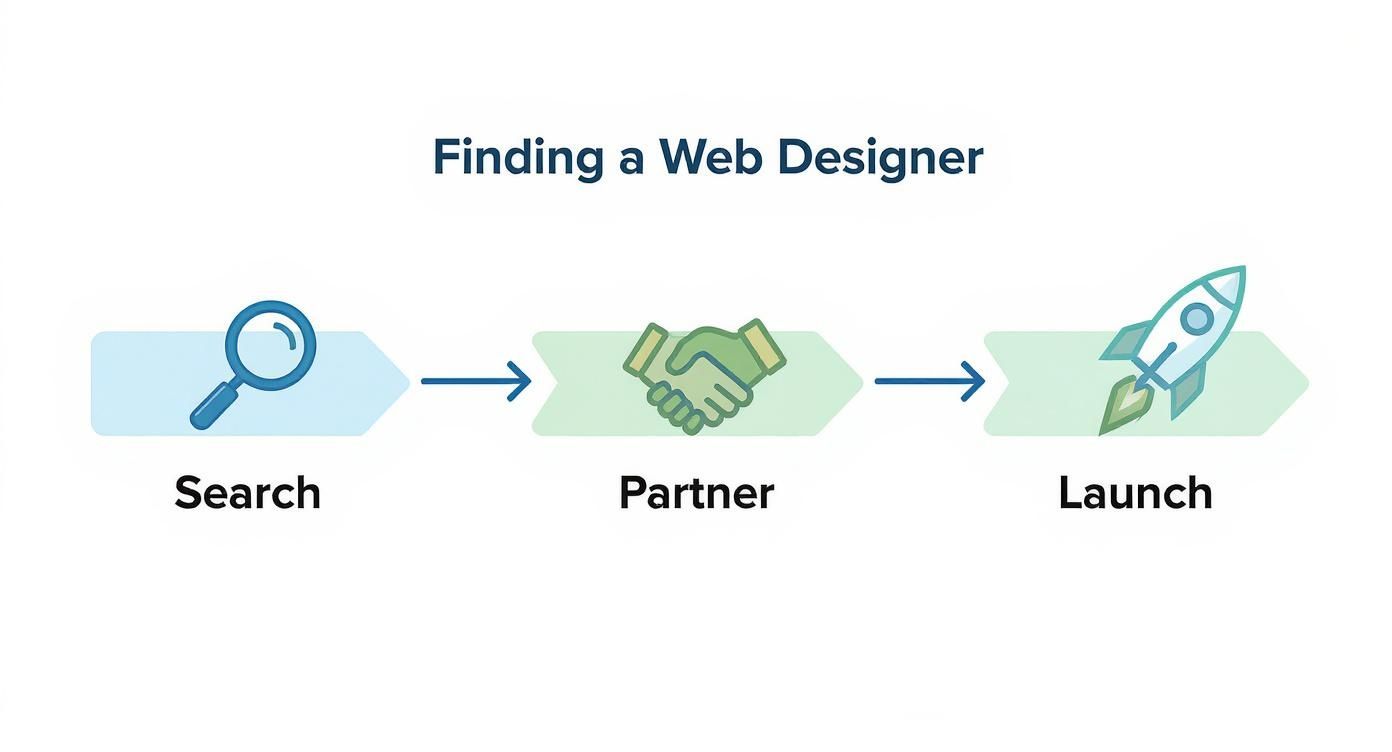
As you can see, finding the right partner is just as crucial as the search itself.
Consider this guide your friendly chat about getting this big decision right. We’ll walk you through the whole process—from figuring out what you actually need to signing on the dotted line, all without the baffling jargon. It’s your roadmap to finding a partner who can build a website that genuinely works for your Kiwi business.
Before you even think about looking at portfolios or searching "website designer near me" again, let's hit pause for a moment. We need a plan. Seriously, what is this website actually supposed to do for your business? Without a crystal-clear answer, you're just building a pretty billboard in the middle of nowhere.
Is your main goal to sell products directly to customers all over New Zealand? If so, you're building an e-commerce machine. Or is it purely to get the phone ringing for your service-based business in Christchurch? That's a lead-generation tool, and it needs a completely different setup. Maybe it's just a simple, professional online brochure to build credibility and show off your work.
Each of these goals demands a different strategy, different features, and—you guessed it—a different budget.
Alright, let's talk about the money. Budgeting for a website can feel like a guessing game, but it doesn't have to be. For a typical Kiwi small business, the investment can vary wildly depending on what you're trying to achieve.
Here’s a rough guide to give you a starting point:
Having a clear budget from the get-go isn't about being restrictive; it’s about being realistic. It helps a designer propose solutions you can actually afford, which saves a huge amount of back-and-forth later on.
Keep in mind that things like custom graphic design, professional copywriting, and plugging in complex third-party systems will all add to the final figure. For a more detailed look, our guide on how much a website costs in NZ is a great resource to dig deeper into the numbers.
The whole point of this exercise is to build a solid brief. When you can confidently tell a designer, "I need an e-commerce site for my Auckland boutique with Afterpay integration, and my budget is $12,000," you’ll get quotes that are actually helpful and easy to compare.
This clarity is the secret to a smooth project. It saves everyone time, prevents nasty surprises, and honestly, just makes the whole process far less stressful. A good brief is half the battle won.
Okay, you've narrowed down your list of designers. Now for the fun part – checking out their previous work. It’s incredibly easy to get dazzled by a visually stunning website, but here's a reality check I've learned over the years: a pretty portfolio is one thing, but a website that actually performs for a business is a completely different beast.
Honestly, your job is to look past the shiny veneer and see if there's a powerful engine underneath. Anyone can drag and drop some nice images onto a template. The real question is, did that design actually help their client sell more products or book more appointments? That’s what separates the pros from the amateurs.
First things first, grab your phone. Don't just browse their portfolio sites on your big desktop screen. Pull up a few of their creations on your mobile and see how they actually feel to use.
Does it work flawlessly? Is the text easy to read without having to pinch and zoom? Can you tap the buttons cleanly without accidentally hitting something else? With a huge number of Kiwis browsing on their phones, a site that isn't mobile-friendly is basically a digital dead end.
Next on the list is speed. Let’s be real, nobody has the patience to wait for a slow website to load. You can use a free tool like Google’s PageSpeed Insights to get a quick performance check. Just pop in the website URL and it'll spit out a score. A quality website designer near me should be building sites that are zippy and efficient, not sluggish and frustrating for your potential customers.
This is a big one. You absolutely need to ask what Content Management System (CMS) they build on. A CMS is simply the backend system that lets you—or someone on your team—update the website with new content. Think of it as the control panel for your digital storefront.
Will you be able to log in yourself to change some text, update your prices, or upload a new blog post? Or are you locked into calling (and paying) your designer for every tiny little tweak? Platforms like WordPress or Squarespace are popular for a reason – they give business owners a good amount of control without needing a degree in computer science.
A great website empowers you. It should be a tool that you can manage and grow with, not a digital prison that you need a key (and an invoice) to make any changes to.
Your goal here is independence. Make sure the designer's process includes training you and your team on how to handle the day-to-day management. It saves you a ton of money in the long run and allows you to be far more agile with your marketing efforts.
Finally, try to get a sense of whether the designer truly understands user experience (UX). UX is just a professional term for making a website easy and enjoyable for people to use. It’s about much more than just colours and fonts; it's about the psychology of guiding a visitor towards a specific action.
Here’s how you can do a quick UX audit on their portfolio work:
Searching for a "website designer near me" is really about finding a strategic business partner. You need someone who thinks like a business owner, not just an artist. Their designs should be built with one primary purpose: to achieve your business goals by turning casual visitors into loyal customers for your New Zealand business.
You’ve done the hard yards, sifted through portfolios, and now you have a shortlist. Brilliant. It's time for a chat, but this isn't just an interview; it's a vibe check. You need to know if this is someone you can build a solid working relationship with, someone who gets what you're trying to do.
Honestly, this conversation is your best shot at figuring out if their personality and workflow will click with yours. You could be working with this person for a long time, so getting it right from the start is crucial. Let's make sure you're armed with the right questions.
This is the question that cuts right through the sales pitch. You want to understand their step-by-step journey, from the initial kickoff meeting all the way to launch day. Who does what, and when? How do they handle feedback, especially the critical kind?
It’s one thing to say you’re collaborative; it’s another to actually live it. A great way to test this is to ask, "What happens if I don't like the first design you show me?" Their answer will tell you everything you need to know about their revision process and their ability to take on constructive criticism. A good partner won't get defensive; they'll see it as part of the creative journey.
A clear, well-defined process is a massive green flag. It shows experience and signals that your project won't descend into chaos, missed deadlines, and endless email chains.
Another crucial point is figuring out who is actually doing the work. Is it the person you're talking to, a junior designer on their team, or an offshore contractor? There's nothing inherently wrong with any of these models, but you deserve transparency from the get-go.
Your website going live isn't the finish line; it’s the starting line. What happens next is just as important as the build itself. This is where you need to get into the details about ongoing support and maintenance.
Here are a few essential questions to bring to the table:
The demand for skilled digital professionals is booming, driven by New Zealand's growing tech sector, which contributed $7 billion to the national GDP in 2021 alone. This growth has created a huge need for web designers in places like Christchurch and Auckland, so finding a partner who offers reliable, long-term support is more important than ever. You can read more about the demand for web design in Christchurch to get a better feel for the market.
Ultimately, this conversation is about finding a partner, not just a supplier. You’re looking for someone who is as invested in your business's success as you are. A great designer will answer these questions with confidence and clarity, making you feel reassured, not confused.
So, a few proposals have landed in your inbox. Now what? It’s tempting to just scan for the lowest number and call it a day, but honestly, that’s often a recipe for a headache down the track. Let’s walk through how to read a web design proposal like a pro, so you can find the right website designer near me for your project.
A good proposal is more than just a price tag; it's a blueprint for your project. It should clearly outline the scope of work, detailing every single thing the designer will do. Vague language is a massive red flag. If it just says “website design,” you need to push for more detail.
Think of the proposal as the first step and the contract as the final word. A thorough proposal naturally leads to a fair contract, but you still need to check the details. Before you get too deep into a designer's specific terms, it's a good idea to understand the basic elements of a contract to know what makes an agreement legally sound and how it protects your business.
Once you’re comfortable with the basics, look for these specific items in any proposal you review:
A proposal that feels rushed, vague, or confusing is often a sign of the work to come. Trust your gut. A great partner wants you to feel confident and clear about every step of the process.
To help you compare apples with apples, use this quick checklist when you’re looking over different quotes.
| Checklist Item | Why It's Important |
|---|---|
| Detailed Scope of Work | Prevents "scope creep" and ensures you and the designer agree on what's included. |
| Specific Deliverables | You need to know exactly what you're paying for—from page count to specific features like a blog or gallery. |
| Clear Timeline & Milestones | Keeps the project accountable and moving forward. Vague timelines can lead to endless delays. |
| Defined Payment Schedule | Avoids surprise invoices. You should know when payments are due and what they cover. |
| Intellectual Property Clause | Confirms you own the final product once it's paid for. This is non-negotiable. |
| Revision Rounds | Specifies how many chances you get to provide feedback. Some designers limit this, so know the number. |
| Ongoing Support & Maintenance | Outlines what happens after the site goes live. Is there a warranty period? What are the support costs? |
| Hosting & Domain Details | Clarifies who is responsible for managing hosting and the domain name. Don't assume it's included. |
Looking at proposals through this lens helps you move beyond just the price and evaluate the true value and partnership potential.
Here’s a detail that trips up a lot of business owners: intellectual property. Who owns the final design and code once the final invoice is paid? This should be explicitly stated in the contract.
Ideally, the agreement should state that you, the client, own 100% of the intellectual property upon final payment. Some agencies might have clauses about retaining rights to their underlying code, which is usually fine, but you need to be sure you own your unique design and content.
Getting this part right protects your investment. A clear contract is like a good fence between neighbours—it prevents misunderstandings and makes for a great working relationship. It's the foundation for getting your project started on the right foot, ensuring your new website truly becomes your asset.
If you're comparing quotes, check out our guide to website design pricing to see how these deliverables affect the final cost.
Even with the best plan in hand, a few questions always pop up when Kiwi businesses start the hunt for a web designer. And that’s completely normal. This is a big decision, and you want to feel confident you’re making the right one.
Let's run through some of the most common queries we hear, clearing up the confusion before you sign on the dotted line.
It's a worthwhile step, especially when you consider how many New Zealand businesses are still playing catch-up online. It might surprise you to learn that recent research shows only 53% of NZ businesses have a website. This is a huge gap, especially since 61% of them say a website is their most important digital tool. That spells a massive opportunity for anyone ready to invest in a professional online presence. You can get the full picture on these local business digital trends here.
This one trips people up all the time, and it’s a brilliant question. The easiest way to think about it is like building a house.
The web designer is your architect. They’re focused on the blueprint—the look, feel, and flow of your website. They map out the user journey, choose the colour palette and fonts, and create the overall vibe that will connect with your customers.
The web developer is your builder. They take that beautiful design and bring it to life with code. They’re the ones building the structure, connecting the "plumbing" (like payment systems or contact forms), and making sure everything is secure, functional, and performs well.
Many freelancers and agencies in New Zealand have team members who do both, which can simplify things. Still, it’s always a good idea to ask who handles which part of the project.
Getting clear on the distinction between a Web Developer vs Web Designer from the start helps you ask the right questions and find the perfect fit for your specific needs.
This is a big one. Getting your website live is a huge milestone, but it's not the final step. To keep your site running smoothly and securely, you’ll need to budget for a few ongoing costs.
Here’s a typical breakdown:
A transparent designer will walk you through these expenses upfront. The goal is to avoid any nasty surprises down the track and build a partnership with someone you can trust for the long haul.
Ready to stop searching and start building? The team at NZ Apps has the local expertise to bring your vision to life, whether you're in Auckland, Christchurch, or anywhere in between. We build websites that don't just look great—they get results.
Book a free, no-obligation consultation with us today!