
Why does augmented reality get pitched as a way to catch a customer's eye when the more useful job might be helping someone practise a dangerous task?
For founders exploring augmented reality in NZ, that's the gap worth testing. Local examples in education, training and public services offer a firmer starting point than another camera filter. But a public tender isn't proof of better skills, and an engaging experience isn't proof of lasting value. The useful question is simple: what can someone do better because the digital layer is there?
Augmented reality places digital content over the physical world. Think of it as a set of digital notes attached to the thing you're looking at, rather than tucked away in a manual.
Say a maintenance trainee points a phone at a pump. The screen shows the pump, with labels beside its valves and an arrow marking the part to inspect. The trainee still sees the physical machine. AR adds guidance; it doesn't replace the surroundings.

Virtual reality replaces your view with a synthetic setting. Mixed reality goes further than a simple overlay, allowing digital objects to respond to physical surfaces and objects. The labels overlap in product pitches, so ask what the system does.
AR experiences commonly use these approaches:
For a phone-based build, the practical questions overlap with mobile app development in NZ: supported devices, camera access, installation and ongoing maintenance. A clever overlay is still software someone must support.
The contradiction is useful. AR can feel like a toy, yet its serious applications involve learning, interpretation and work. Local industry reporting also groups AR with VR and mixed reality as cross-reality, so a large sector figure doesn't automatically describe demand for your AR app.
Start with the task: If a clear diagram does the job, an animated overlay needs to earn its place.
New Zealand AR use cases by sector
| Sector | New Zealand example | Evidence | Job the AR does |
|---|---|---|---|
| Museums and schools | Te Papa Hīnātore digital learning lab | University of Otago research on Years 5 to 7 students, discussed below | Extends museum displays with hands-on digital activities |
| Vocational and emergency training | New Zealand Maritime School firefighting training | Public procurement specification | Adds scenarios alongside live-fire exercises |
| Technical education tender | Manukau Institute of Technology firefighting tender (2025) | Public tender documentation, discussed under training | Simulates land and maritime firefighting environments |
| Public information | Augmented World of William Waiirua voting campaign | Government campaign with reported turnout | Delivers voting messages to Māori youth |
| Heritage content | National Library Tuia Mātauranga AR resources | Published library resources | Builds Aotearoa histories into learning |
| Tourism and marketing | Filters and place activations | No verified local case established by the sources cited here | Promotes places and brands |
The table separates documented use, procurement intent and measured outcomes. They're not interchangeable. A published resource shows that content exists; a tender shows that a buyer has specified a need.
The clearest education example comes from University of Otago scholars' evaluation of Hīnātore at Te Papa, which examined Years 5 to 7 students using AR alongside VR, 3D imaging and stop-start animation. Students engaged with museum displays, then extended natural-history and mathematics activities through digital tools.
The Hīnātore evaluation described positive, engaging learning experiences while identifying a tension between the excitement of immersive tools and the need to serve curriculum and inquiry goals. That distinction matters for anyone selling to schools. A learner's enthusiasm can help a lesson, but it can't stand in for the lesson.
For a museum team, the job is to connect the digital activity to the object, question or story. If visitors spend their time wrestling with camera tracking, the screen has become a distraction. If they use the overlay to inspect a feature they'd otherwise miss, it has a clearer purpose.
Training procurement provides a different kind of signal. It gives founders a concrete buyer problem to investigate, but it doesn't establish that a finished product improved competence. Public information campaigns need another reading again: participation results may be encouraging without isolating AR's contribution.
Read the evidence as a ladder, not a badge. Availability, use, engagement and proven outcomes are different rungs.
The tourism row is deliberately cautious. The absence of a verified local case in these sources doesn't mean tourism AR can't work. It means a founder shouldn't turn a plausible use case into a claim about proven local demand.
Training and heritage provide stronger starting points for investigation than consumer marketing here. Even then, match the claim to the evidence. Don't sell a procurement notice as a success story or a lively museum session as proof of lasting knowledge.
How large is the local market? The honest answer starts with a boundary: published cross-reality figures aren't a current AR market total.
The New Zealand VR/AR Association's MBIE-supported Virtual Gets Real report estimated about 1,100 full-time-equivalent employees in 2017, projected more than 2,200 within two years, and forecast annual revenue above NZ$320 million, with a headline estimate of about NZ$324 million. Those figures cover VR, AR and mixed reality together.
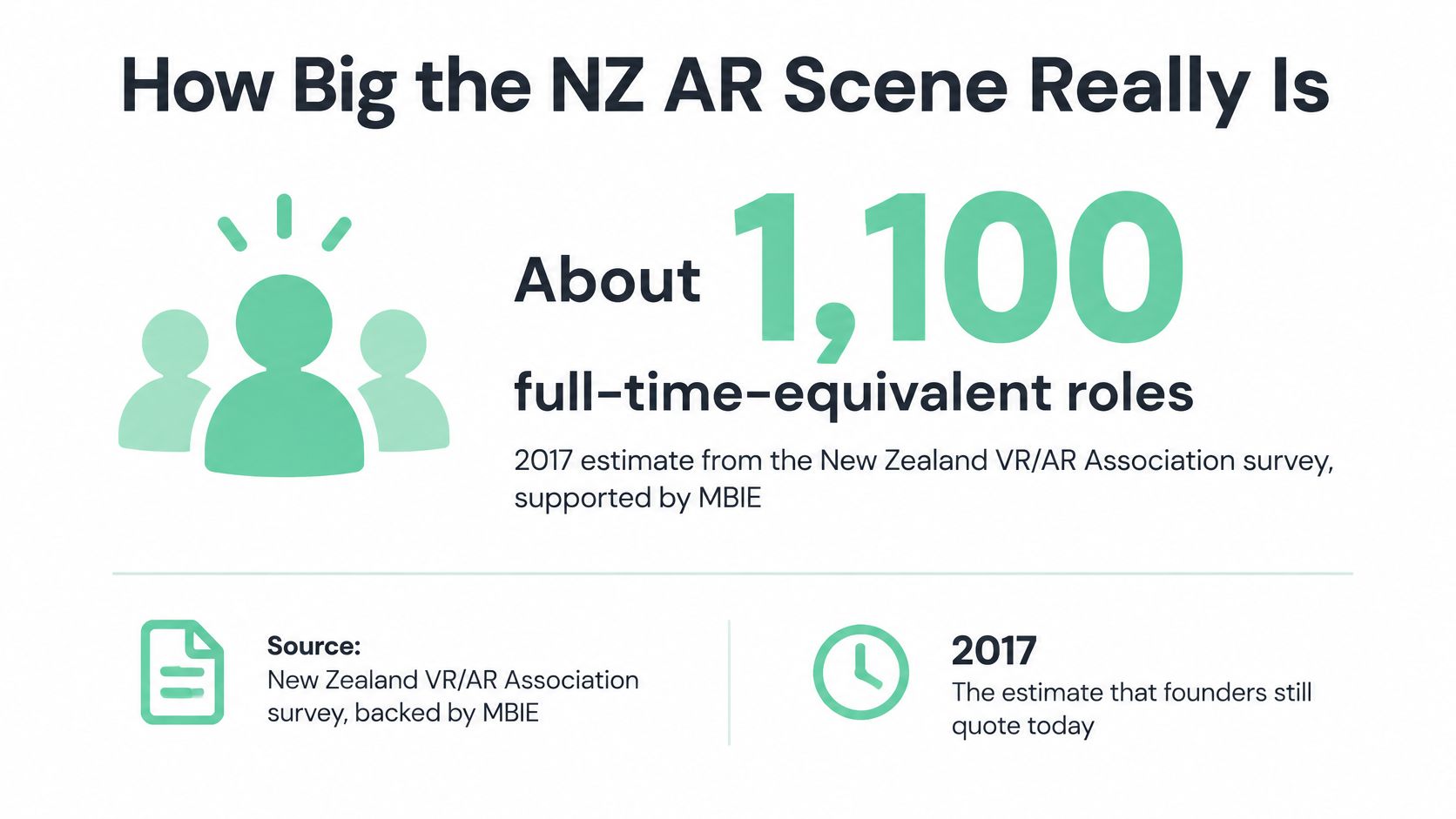
New Zealand cross-reality and AR sector figures
The historical workforce and revenue rows below come from Virtual Gets Real. The 2020 XR sector report estimated more than 100 companies and collected responses from 83 companies, 67 academics and 27 international experts, with an estimated 80% response rate that included the largest local AR, VR and XR firms.
| Measure | Figure | Year | What it covers |
|---|---|---|---|
| Cross-reality workforce | About 1,100 full-time-equivalent employees | 2017 survey | VR, AR and mixed reality combined |
| Forecast workforce | More than 2,200 full-time-equivalent roles | Projected within two years of 2017 | Forecast, not an outcome |
| Forecast annual revenue | More than NZ$320 million, headline about NZ$324 million | 2017 forecast | Cross-reality, not AR alone |
| Extended-reality companies | More than 100 | 2020 sector report | Estimated count of local firms |
| Sector report responses | 83 companies, 67 academics, 27 international experts | 2020 | About 80% response rate |
| Game-development comparison | Roughly NZ$100 million | Historical comparison in the government summary | Reference point for AR forecasts |
The government's summary of the sector findings identified AR as a stronger local segment alongside holographic capture and game development, and used the roughly NZ$100 million game-development industry as a historical comparison. That supports a claim about recognised capability, not today's AR sales.
The practical lesson is to check delivery capacity before promising a complex build. Spatial tracking, interaction design, real-time graphics and field testing require different skills. A studio's polished visual work doesn't tell you whether it can support devices at a remote training site.
Separate application development from hardware supply, deployment and support. Ask who maintains the content, who diagnoses tracking faults and what happens when a device update breaks a feature.
The public figures cited here don't measure how many New Zealand organisations currently adopt AR. They also don't establish current AR-only revenue. Use them as historical reference points, then build your commercial case from named buyers, their budgets and their actual workflows.
Where does AR earn its keep? Training offers a useful test because buyers can define the task, observe performance and compare it with their current method.
New Zealand Government Procurement's account of firefighting facilities describes New Zealand Maritime School specifying AR to broaden scenarios alongside live-fire exercises, while a related 2025 Manukau Institute of Technology tender sought realistic land-based and maritime firefighting environments. That's evidence of a purchasing need. It isn't, by itself, evidence of competency gains.

AR training versus physical simulation
| Criterion | AR training | Physical simulation |
|---|---|---|
| Implementation cost | Price content creation, devices and support; reuse may reduce later cohort costs | Price facilities, equipment, upkeep and each deployment site |
| Assessment validity | Require evidence that recorded actions demonstrate competence | Observe hands-on performance against the relevant assessment |
| Device requirements | Phone for screen-based tasks; specialist headset where hands-free use is needed | Physical kit and a suitable training ground |
| Rural connectivity | Test coverage; require offline content where connection loss would stop training | Core physical exercises can run without a network |
| Procurement pathway | Public specifications show a route for education buyers | Facility and equipment procurement route |
| Heat, smoke and handling real equipment | Digital cues don't reproduce physical exposure or handling | Live facilities can provide controlled exposure and real handling |
AR is a credible candidate for rehearsing decisions, locating components or recognising a changing scenario. Physical simulation has a stronger role when the assessment concerns grip, force, movement or response to actual conditions.
A digital flame doesn't produce heat. A headset doesn't teach the weight of a hose. Even live exercises have controlled limits, so neither method should be treated as a complete copy of an emergency.
For implementation costs, include the unglamorous work: instructor controls, cleaning shared devices, replacing damaged kit, updating content and helping a learner whose tracking has failed. Don't assume software makes each extra session cheap. Confirm what staff must do to run it.
A campus demonstration can prove that an idea is understandable. A repeatable product needs instructor guidance, stable content, assessment records and a support process.
Can the same content serve another cohort without a rebuild? If not, you may have a custom production service rather than recurring software revenue. That can still be a sound business, but price and staff it accordingly.
For education and infrastructure procurement, specify the learning task and acceptance test before choosing hardware. Require bidders to show what happens without a connection, how instructors review performance and what content ownership the buyer receives.
The stronger early case is measurable training value, not novelty. AR should supplement live practice where it adds useful rehearsal. Whether it improves competence remains a question each buyer must test, not a benefit to assume.
Who owns the story? For heritage and public-service AR, that question belongs before the storyboard, not after the animation is finished.
The government's Augmented World of William Waiirua campaign account describes marker-based AR aimed at Māori youth aged 18–29, with reported turnout for that demographic rising from 55.2% to 61.8%, a 6.6-percentage-point increase. That's an encouraging association from a campaign, not proof that AR alone caused the change.
A voting decision has many influences. The sensible lesson isn't that an AR overlay produces civic participation on demand. It's that a culturally specific experience can be part of a public-service approach worth evaluating.
Begin with the relevant iwi and hapū, and agree who has authority to approve the narrative. Don't assume that access to an image, recording or written account grants permission to adapt it into an interactive experience.
Set clear decisions around the content:
human-centred design becomes concrete. Invite people to shape the questions and interaction, not merely react to a nearly finished screen.
The National Library's Tuia Mātauranga AR resources use Aotearoa histories, including Māori settlement and society, as core learning content. That's a different starting point from importing an experience and adding local names.
Consider a hypothetical heritage trail. A developer might propose a dramatic character appearing at every stop. Community partners may prefer a quiet audio account, a different location or no digital depiction at all. Respecting that decision is good product judgement, not a creative setback.
A better success test: Ask whether people understand the story and feel fairly represented, not just whether they opened the camera.
Evaluate learning recall, the quality of discussion and community feedback. Ask whether users can distinguish historical evidence from an illustrative reconstruction. Downloads can tell you about reach; they can't tell you whether a story was handled well.
Participation also needs time and a budget. Give cultural partners a defined role in revisions and future reuse. A launch approval shouldn't become a blank cheque for every later campaign.
The shiny demo is easy. The privacy workflow is where projects can come unstuck, especially when a camera records people who aren't using the device.
The Privacy Commissioner's guidance on smart glasses says workplace use can trigger Privacy Act obligations: collection must be necessary for a lawful business purpose, privacy principle 3 requires transparency, and principle 4 rules out unfair or unreasonably intrusive collection. The same guidance calls for extra care with sensitive information and children.
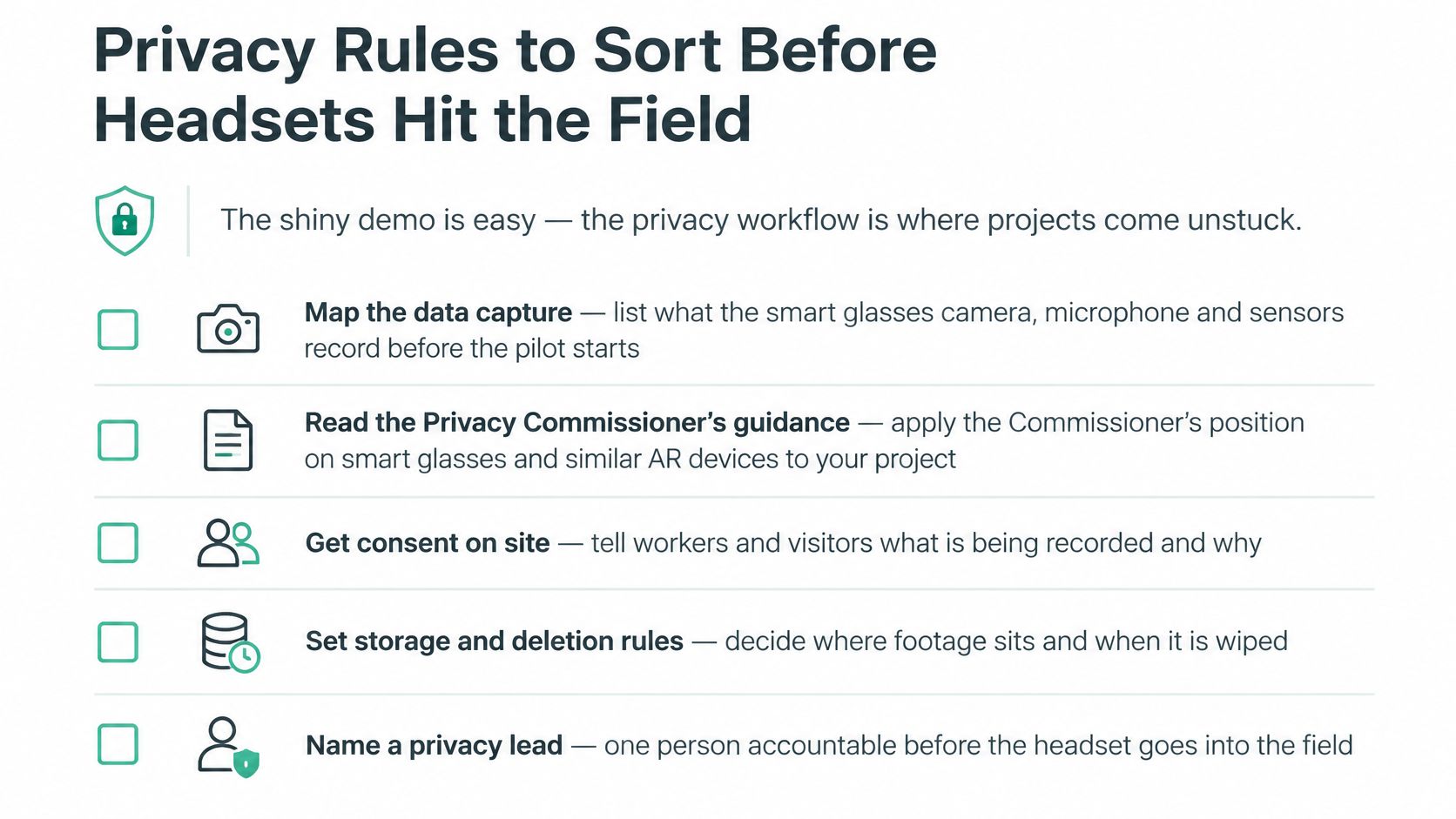
Treat this as a deployment checklist, not a claim that consent is the legal basis for every collection.
For a broader local overview, use the NZ Privacy Act guide. Where a system also uses AI, Robosize's discussion of turning fairness principles into controls offers a related governance lens, not a substitute for New Zealand privacy guidance.
The domestic-activity exception generally covers purely private recording, but not highly offensive conduct. Don't treat a work device worn in a staff car park as private use merely because the wearer has stepped outside.
Map where information goes, including any cloud service and remote support access. Then apply a plain-language test: could you explain the data flow to a customer in a couple of sentences? If you can't, resolve the gaps before field use.
Pick a single workflow and test it before buying a fleet of devices. A narrow trial gives you a useful decision; a sprawling showcase gives you plenty to troubleshoot and little to conclude.
Choose a task with a clear cost or risk, such as rehearsing an inspection sequence. Define what a good result looks like before anyone sees the graphics. Otherwise, enthusiasm can replace the acceptance test.
Record the awkward results too. If learners need constant help, instructors spend longer setting up, or device faults interrupt assessment, those are product findings. Don't hide them behind positive feedback.
A pilot has succeeded when it supports a sound decision, including a decision not to proceed.
Look for a measurable change: less facility time, better assessment scores or fewer observed errors. Treat claims about incident reduction with care, since a short trial may not establish them.
Set a review date, name the decision-maker and agree what would justify stopping. If the result is unclear, narrow the task rather than adding features.
Your verdict should state what worked, for whom, under which conditions and at what operating cost. That's more valuable than a demo that impresses the room.
NZ Apps is an independent media and directory covering app companies, SaaS tools and AI startups across New Zealand and Australia, including the local technology scene behind AR projects. If you're building an AR product or related tech business, visit NZ Apps to add your company to our directory or explore advertising that reaches founders and operators across the region.
Add your NZ or Australian app or tech company to the NZ Apps directory and get discovered by founders and operators across the region.
Get ListedReach tech decision-makers across New Zealand and Australia. Sponsored and dofollow editorial links, permanent featured listings, and sponsored articles on a DA30+ .co.nz domain.
See Options