
When we talk about ecommerce and web design, what are we really getting at? Honestly, it's about building an online store that not only looks sharp but is an absolute doddle for your customers to use. It’s the art of creating a digital shopfront that doesn't just get people to hit "add to cart" but actually makes them want to follow through with the purchase.
For any Kiwi business, this means crafting an experience that feels local, trustworthy, and incredibly simple. Sound good?
Let's be honest, the thought of launching an online store can feel a bit much. Where do you even begin? Well, you can start right here. We’re going to cut through the noise and focus on what truly matters for a business in New Zealand.
A generic, one-size-fits-all website just doesn’t cut it in our unique market. Kiwis have different expectations, a distinct sense of humour, and a sharp eye for what’s genuine. A site that feels like it was designed for an American audience will stick out like a sore thumb. You know what I mean?
The growth in local online shopping has been nothing short of explosive—it's a massive opportunity just waiting for you. The numbers don't lie; in 2025, New Zealand's online shopping industry is home to 11,577 businesses, with industry revenue hitting an estimated $6.8 billion. This incredible surge, which you can read more about on IBISWorld, shows just how vital a strong digital presence is for Kiwi ventures.
This guide isn't about throwing technical jargon at you. It’s about getting the why behind building a great ecommerce site that feels like it belongs right here in Aotearoa.
Think of your website as your digital pā. It should be welcoming, reflect your values, and make your visitors feel right at home. It’s your first handshake, the first "kia ora"—it needs to make a brilliant first impression.
So, what does having a "Kiwi heartbeat" actually mean for your ecommerce design? It’s about weaving that local flavour into the very fabric of your site. It’s a feeling.
Honestly, it’s about the small stuff. It's showing you understand the local culture and aren't just drop-shipping from a warehouse halfway across the world. This approach builds instant credibility. Getting the fundamentals of Kiwi web design right from the get-go is absolutely crucial for long-term success.
We're just setting the stage here, getting you fired up and making sure you have a solid foundation to build on. Right, let’s get to work.
Before we even think about brand colours or cool fonts, we need a solid plan. A real blueprint. This is the 'measure twice, cut once' part of web design, and honestly, it’s where the magic really begins.
This whole process is about getting crystal clear on who your customers are. And I don’t just mean ‘people in NZ’. What makes them tick? What problem are you genuinely solving for them with your products? It’s a big question, but a vital one.
Let’s get one thing straight: if you try to sell to everyone, you’ll end up selling to no one. That's why we always start with user personas. Think of these as character sketches of your ideal customers.
These aren't just dry data points; they're stories. We give them names, jobs, and motivations. For example, instead of "woman, 30-40, lives in Auckland," we create "Sophie, a 34-year-old marketing manager in Ponsonby who’s passionate about sustainable fashion and is too busy to browse physical stores." See the difference? Suddenly, you have a real person in mind.
You build these personas by talking to your actual customers, digging into your sales data, and even checking out your competitors. This process is a core part of what's known as human-centred design, which puts real people at the heart of every decision you make.
Once you know who you're designing for, the next question is how they will actually use your site. This is where we map out the User Experience (UX).
Ever been on a website where you can’t find the checkout button for the life of you? That’s bad UX, and it’s a total conversion killer. Our job is to make the entire journey—from landing on your homepage to getting that order confirmation email—feel completely intuitive. Effortless.
We start by creating user flows. These are simple diagrams that map out the steps a customer like Sophie would take to achieve a goal, like buying a specific dress. It helps us spot potential roadblocks or confusing steps before we've written a single line of code. It's all about designing a path of least resistance.
Your website isn’t a museum where people come to admire the art. It’s a tool designed to do a job. Every click, every page, every button must have a clear purpose that moves the user closer to their goal (and yours).
With the user flows sorted, it's time for wireframes. If user personas are the characters and user flows are the plot, then wireframes are the scene-by-scene storyboard. A bit dramatic? Maybe, but it’s true.
Wireframes are basic, black-and-white layouts of your website's pages. They have zero to do with aesthetics—no colours, no images, no fancy fonts. Their sole purpose is to define the structure and placement of elements. Where does the search bar go? How are product filters organised? Is the 'Add to Cart' button prominent enough?
This skeletal structure is incredibly important. It forces everyone—you, the designer, the developer—to focus on function over form. Making changes at this stage is easy and cheap; making them after the site is built is... not so much.
Think of it like building a house. You wouldn't let the builder start throwing up walls without an architect's drawings, would you? Of course not. A wireframe is your website's architectural drawing, ensuring every "room" is in the right place and serves its purpose perfectly.
And if you want to keep them coming back, you need to constantly look for ways to improve your ecommerce customer experience right from this foundational stage. By planning the journey with care, you’re not just building a store; you’re crafting an experience that makes people want to return.
Right, let's get into the engine room. Picking your ecommerce platform and the tech that bolts onto it can feel a bit overwhelming. You'll hear names like Shopify, WooCommerce, and Magento thrown around, and it's easy to get lost in the jargon.
But here’s the thing: the most important question isn't "what's the best platform?" It's "what's the best platform for my business?"
A small Kiwi business selling artisanal candles from a Christchurch workshop has completely different needs to a major national retailer shipping from an Auckland warehouse. Your choice here sets the foundation for everything, from how you manage your day-to-day orders to your ability to grow later on.
Thinking about your customer's journey is a great way to simplify this. What path will they take on your site? Visualising this makes it much clearer what tech you'll actually need to support them.
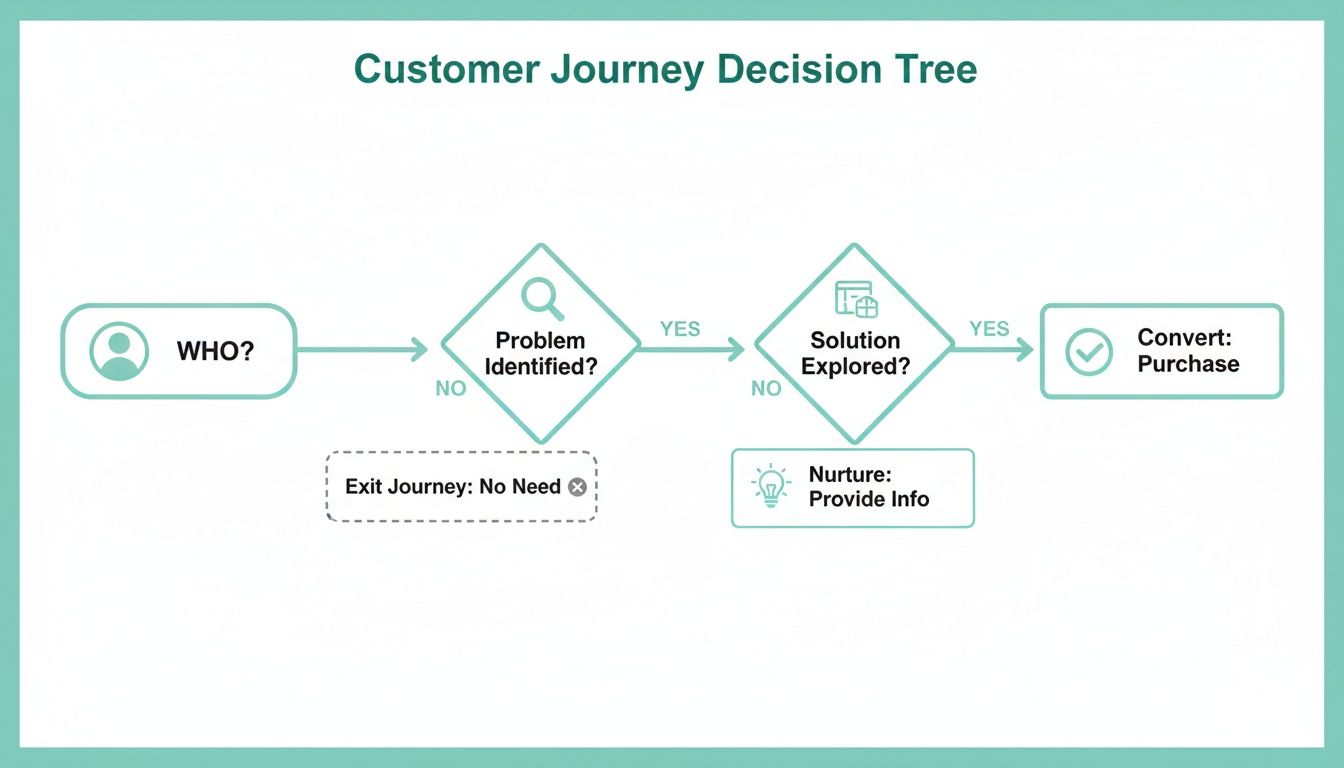
When you know exactly who your customer is and what they need to do, picking the right tools becomes a whole lot easier. It just clicks.
A few key platforms are particularly popular here in New Zealand. Each has its own vibe, its own strengths, and its own set of trade-offs.
To give you a quick snapshot, here's a simple breakdown of the main contenders. Think of this as your starting point for research.
| Platform | Best For | Monthly Cost (Approx.) | Ease of Use |
|---|---|---|---|
| Shopify | Startups, small businesses, and anyone wanting an all-in-one fix. | $45 - $450 NZD | Very user-friendly |
| WooCommerce | Those already on WordPress who want full control and flexibility. | $20 - $150+ NZD | Moderate learning curve |
| Adobe Commerce | Large businesses with big budgets and complex requirements. | $3,000+ NZD | Requires a developer |
This table just scratches the surface, but it helps frame the conversation. Let's dig a little deeper.
If you’re tossing up between these two, our guide on Shopify vs WordPress for NZ businesses gets into the nitty-gritty to help you make the right call.
Okay, you've chosen a platform. Great. Now, how do you actually take people's money? This is where payment gateways come in. Think of a payment gateway as the digital version of an EFTPOS terminal—it's the service that securely processes your customer's card details.
Choosing your payment options is a customer service decision, not just a technical one. A familiar, frictionless checkout process is one of the easiest ways to lift your conversion rate. Don't make people think; just make it easy for them to pay you.
Here in New Zealand, we've got some fantastic options that play nicely with all the major platforms:
But it’s not just about credit cards these days, is it? You've surely seen how popular "Buy Now, Pay Later" (BNPL) services have become. Offering options like Afterpay or Laybuy can genuinely boost sales. For some shoppers, particularly with higher-priced items, being able to split the cost into instalments is the thing that gets them over the line. It can turn a "I'll think about it" into a "yes, right now."
Let’s wrap this up with a point that is absolutely non-negotiable: security.
Your customers are handing over their personal and financial details, and they are trusting you to keep them safe. Break that trust, and your reputation is toast.
The absolute baseline for any ecommerce site is an SSL certificate. It's what puts the little padlock icon in the browser's address bar. It encrypts the connection between your customer's device and your website, scrambling the data so no one else can read it. Without one, browsers will plaster a big "Not Secure" warning on your site—a massive turn-off for any potential buyer.
In the world of ecommerce and web design, security isn't just another feature. It's the foundation of trust, and that trust is priceless.
Right, let's get to the fun part: making your website look the business. But here’s the thing—a great User Interface (UI) is so much more than a pretty face. It’s about creating a visual experience that captures your brand’s soul and genuinely connects with a New Zealand audience.
This isn’t just about aesthetics; it’s about psychology and persuasion. A well-designed site guides the eye, builds trust, and makes the whole process of handing over money feel good.
Let's be real—most of us are scrolling and shopping on our phones. Whether we’re on the bus in Wellington or waiting for a flat white in Queenstown, mobile is king. That’s why your design process must be mobile-first.
This doesn't just mean your site "works" on a phone. It means you design the mobile experience first, then adapt it for bigger screens like tablets and desktops. This approach forces you to focus on what’s truly essential, cutting out the clutter and creating a clean, fast, and incredibly intuitive journey for the majority of your users.
You can write the most beautiful product descriptions in the world, but if your photos are rubbish, nobody will buy a thing. Humans are visual creatures. High-quality, professional photography is an investment, not an expense.
Your product imagery does the heavy lifting, turning a casual browser into an interested buyer. It builds desire.
Think of your website’s design like a physical retail store. Is it clean, well-lit, and easy to navigate? Or is it cluttered, confusing, and a bit dodgy? Your design gives off an immediate vibe, and you want that vibe to scream "trustworthy and professional."
You know what really makes a difference? The small stuff. Those subtle signals that tell a Kiwi shopper you're a legitimate, local business they can rely on.
This is where the combination of ecommerce and web design becomes so powerful. It’s not just layout; it’s about embedding trust into the very pixels of your site. When designing your site to capture the Kiwi market, incorporating the best design practices for websites is key to making these signals feel natural and effective.
A few non-negotiables for any Kiwi e-commerce site:
These elements might seem minor, but together they create a powerful sense of security that is essential for converting visitors. And speaking of converting, the market is definitely showing signs of life. New Zealand's ecommerce scene is surging, with online spending climbing 7% in Q1 2025 alone. This signals a strong rebound, particularly in feel-good categories like books and entertainment, which shot up 18%. It seems Kiwis are ready to spend on items that bring them joy.
Ultimately, designing a site Kiwis will use comes down to empathy. It's about understanding their habits, anticipating their questions, and creating a visual world that feels both aspirational and accessible. Get that right, and you're not just making a sale—you're building a loyal customer.
So, you’ve built a beautiful website. Brilliant. But what’s the point if no one can find it? Honestly, it’s like setting up a stunning shop down a hidden alleyway with no sign.
This is where Search Engine Optimisation (SEO) comes in, and for a Kiwi business, it’s absolutely vital.
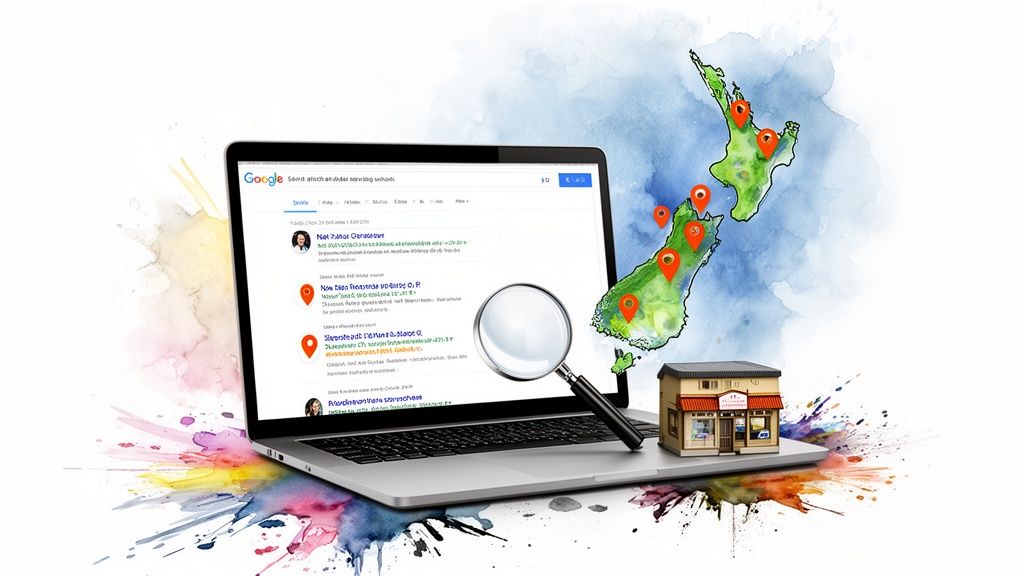
We're not talking about shady tricks or trying to cheat the system. Good SEO is simply about making it incredibly easy for search engines like Google to understand what you sell and who you sell it to. The real goal is to show up when the right people are looking for you.
For a New Zealand business, generic SEO just won’t cut it. You have to think local. This means tailoring your site for the specific terms your customers are actually typing into their search bars.
It’s the difference between targeting ‘buy hiking boots’ and targeting ‘buy hiking boots Christchurch’. One is a shout into the void; the other is a conversation with a customer who’s practically on your doorstep. This is the heart of on-page SEO—weaving these location-specific keywords naturally through your product descriptions, page titles, and headings.
Think about what Kiwis are really searching for. For example, clothing, shoes, and fashion dominate our ecommerce landscape, making up a massive 59% of online purchases in 2025. This category is projected to hit AU$4.22 billion by 2027, driven by shoppers in places like Auckland. You can discover more insights about these Kiwi commerce trends and see just how critical it is to target your specific niche and location.
SEO isn’t a dark art. It’s digital signposting. You’re just putting up clear, helpful signs that guide both Google and your customers directly to your online door. Get the signs right, and the right people will find you.
Here’s the thing. If you run a local business and you don’t have a fully optimised Google Business Profile (GBP), you’re leaving money on the table. It’s that simple.
Your GBP is that handy info box that pops up on the right of Google search results or on Google Maps. It shows your address, opening hours, phone number, and—crucially—customer reviews. It’s the single most powerful free tool for local visibility.
Keeping it updated with fresh photos, posts, and accurate information tells Google you’re active, relevant, and trustworthy.
You could have the best products and the smartest SEO in the world, but if your website is slow to load, people will leave. A slow site is a conversion killer. We’re talking about a delay of just a few seconds being enough to send a potential customer packing.
How fast is fast enough? Ideally, your pages should load in under three seconds. You can use free tools like Google’s PageSpeed Insights to check your performance. It’ll give you a score and, more importantly, a list of things you can fix.
Common culprits for a sluggish site include:
Making a few simple tweaks to improve your site speed can have a huge impact not just on your search rankings, but on your sales. It’s a crucial piece of the ecommerce and web design puzzle that directly affects your bottom line.
Got a few more questions buzzing around? You're not alone. The journey into ecommerce and web design is full of twists and turns, and it’s completely normal to have a few "what ifs" and "how much" queries.
We've heard them all over the years. So, we've put together some straightforward answers to the most common questions we get from Kiwi businesses. Let's clear things up.
This is the classic "how long is a piece of string?" question, and honestly, the answer is the same: it depends. The cost can swing wildly, from a few thousand dollars for a simple Shopify setup to tens of thousands for a completely custom-built solution.
So, what drives the price? It really comes down to three main things: the platform you choose, the complexity of the design, and any special features you need.
Let me explain:
Your best first step is always to have a chat with a developer and get a detailed quote based on what you’re actually trying to achieve.
Patience is a virtue here. A typical ecommerce project takes anywhere from 8 to 16 weeks from our first kickoff meeting to the grand launch day.
Could it be quicker? Sure. A simple, template-based site could potentially be up and running in 4-6 weeks, but that’s only if you have all your content, photos, and products ready to go from day one. On the flip side, a complex, custom project can easily stretch to 6 months or even longer.
What takes all that time? It’s not just the coding. The initial discovery phase (where we dig deep into what you actually need), creating all the content (writing killer product descriptions and taking stunning photos!), and thorough testing all add up. Rushing the process is a recipe for a site that looks good on the surface but doesn't actually help your business grow.
Here’s the thing—you could build a website yourself. Platforms like Shopify and Squarespace make it look incredibly easy, and for a tiny side hustle or a hobby project, that might be just fine.
But a professional designer and developer do so much more than just pick nice colours and fonts. They're architects of the user experience. They understand conversion optimisation—the subtle science of turning a casual browser into a paying customer. They build sites that are secure, fast, and properly optimised for search engines right from the start.
Think of it this way: you could probably build your own deck, but an experienced builder will do it faster, make it safer, and ensure it adds real value to your home. A professional web team does the same for your business.
A professional design builds instant trust and credibility. For any serious business, investing in professional ecommerce and web design almost always pays for itself through higher conversion rates and fewer headaches down the road. It’s the difference between an amateur setup and a digital storefront that inspires confidence and drives sales.
Ready to turn your ecommerce idea into a reality? The team at NZ Apps specialises in crafting beautiful, high-performing websites and custom software for Kiwi businesses. We handle everything from design and development to local SEO. Let's have a chat about your project.