
That spark of an idea for an online store? It’s a great feeling, isn't it? But turning that idea into a real, working business means getting serious about effective ecommerce website design. This is more than just picking a pretty theme; it's the engine room of your digital shop, built to attract Kiwi shoppers and make buying from you an absolute breeze.
Think of this as your starting line for building a digital storefront that actually gets the job done.
The second that great idea hits, the questions start flooding in. Which platform is actually best for a Kiwi business? What’s this really going to cost me? Where on earth do you even start? It can feel a bit much.
This guide is here to cut through that noise. We’ll have a straight-up chat about what powerful ecommerce website design really means for a local business right here in New Zealand. We're not just talking about picking nice colours—we're talking about building a rock-solid foundation.
Honestly, it’s a bit like building a house. You wouldn't just start throwing up walls without a solid concrete slab, would you? Your website's plan is that slab. Get it right from the start, and everything you build on top of it will be strong and stable.
Let's get down to brass tacks. A successful online store doesn't just happen by accident. It’s a careful mix of a few key things working together to create a smooth experience for your customers. Here’s what really matters:
You're not just putting up a website; you're building a relationship. Your site's design is the first handshake, the friendly smile, and the helpful shop assistant all rolled into one. It’s your chance to make a brilliant first impression.
As you get started, it's also smart to think about making your store open to everyone. Ensuring strong web accessibility for e-commerce websites isn't just about ticking a box; it's a key part of good design that welcomes all potential customers, no matter how they browse the web.
The world of ecommerce in New Zealand is buzzing with opportunity. Throughout this guide, we’ll walk through each step, making sure you have the confidence and the know-how to build a store that not only looks great but, more importantly, delivers the goods. Let's get to it.
Right, before we even think about touching a single template or line of code, we need a plan. A solid one.
Honestly, this is the part everyone wants to skip, and it's precisely where things can go wrong fast. It’s so tempting to jump straight into the fun stuff—the colours, the fonts, the cool animations. But that's like trying to build a house by starting with the roof. It just doesn’t work.
What are you really trying to do here? And more importantly, who are you actually selling to? Is it a younger crowd in Wellington glued to their phones, or maybe farmers in rural Canterbury browsing on a desktop after a long day? Seriously, take a moment. Picture them.
Knowing your audience inside and out changes everything. It shapes your design, your tone of voice, even the payment options you offer. You wouldn't try to sell high-fashion streetwear using the same language you'd use for heavy-duty farm equipment, right?
Let’s get this sorted first. Your ideal customer isn't "everyone in New Zealand." Get specific. Think about their daily lives, what frustrates them, and what makes them tick.
Mapping out a customer journey sounds a bit like corporate jargon, but it’s just a fancy way of saying you need to walk a mile in their shoes.
Imagine their path:
This simple act of thinking through their experience is the first step in creating an ecommerce website design that actually connects with people and makes sales.
This visual helps to break down the ecommerce journey from a simple thought bubble to a functioning online shop.
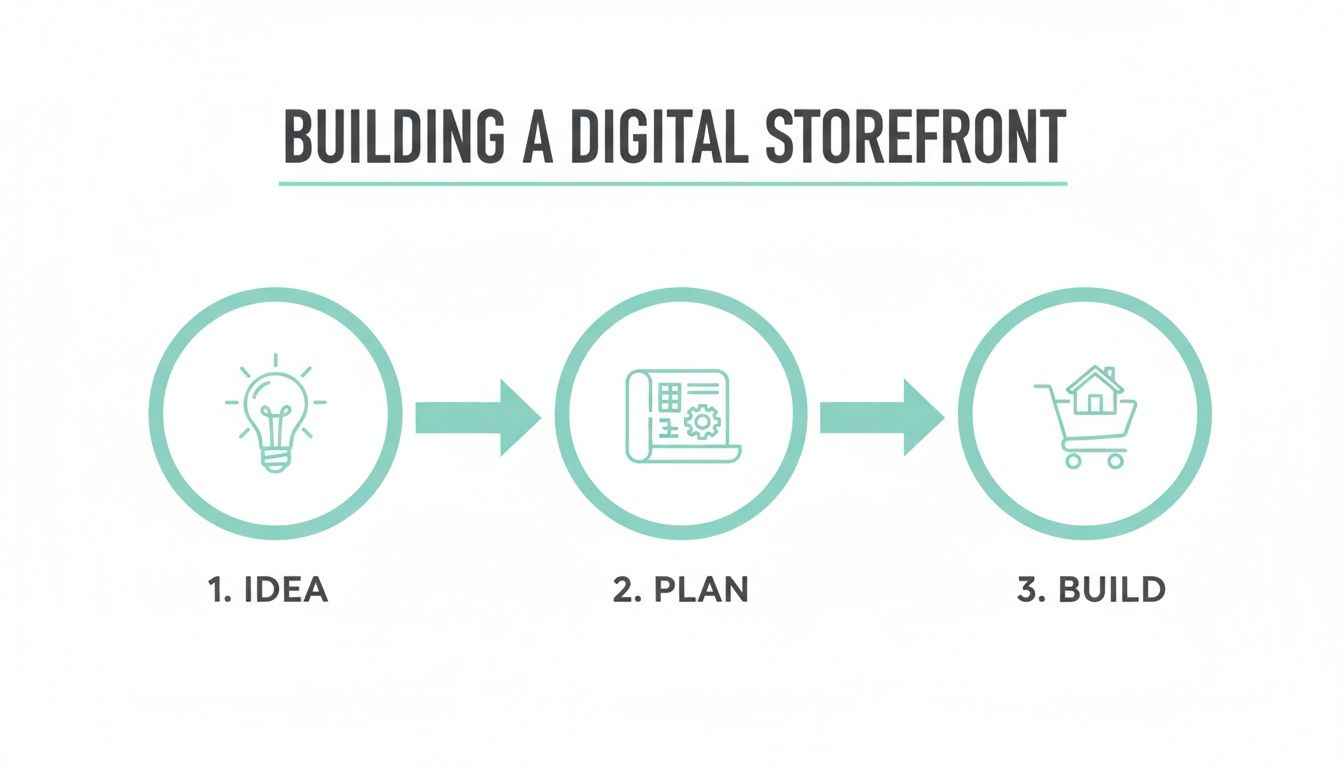
It highlights that the "build" phase is the final step, reinforcing that the "idea" and "plan" stages are foundational and must come first for a successful outcome. Without that blueprint, you're just guessing.
Okay, the elephant in the room: the budget. What's a realistic cost for an ecommerce website design in New Zealand? This is where a lot of people get caught out, either by underspending and getting a flimsy result, or overspending on features they just don't need yet.
Here’s the thing—the cost can vary wildly. It’s not a one-size-fits-all deal. The price depends entirely on what you need your site to do.
A simple, clean storefront is very different from a complex site with thousands of products and custom integrations. One is a trusty ute; the other is a finely-tuned race car. Both get you moving, but they’re built for completely different purposes and come with very different price tags.
The ecommerce development and design costs in New Zealand can range significantly based on the project's complexity.
For a small Kiwi business needing a basic but professional online store, you might be looking at costs between NZ$3,500 to NZ$8,500, with a turnaround of about 2 to 4 weeks.
For businesses that need something more custom, with unique UI/UX design, the investment can range from NZ$4,300 up to NZ$13,800. You can find more detail on what impacts these ecommerce project costs and why they differ so much.
Having these figures in mind from the start helps you set realistic expectations. It prevents those nasty surprises down the road and ensures your blueprint is built on a financial foundation that actually works for your business. So, with your customer and your budget mapped out, you’re ready for what's next.
Alright, now we get into the heart of what makes an e-commerce site genuinely successful. This is where we stop thinking like builders and start thinking like architects of a sales machine.
Honestly, the whole point is to build a site so intuitive that buying from you feels like the most natural thing in the world. This is where two critical ideas, UX and UI, come into play. You’ve no doubt heard the terms, but what do they really mean for your bottom line?
Think of User Experience (UX) as the entire journey a customer takes in your digital shop. Is finding a product a breeze or a complete headache? Does the checkout feel secure and straightforward, or is it so clunky that people just give up? Good UX is often invisible—it just works.
Then there’s the User Interface (UI). This is all about the look and feel. It’s the buttons, the colours, the menus, and the typography. If UX is the floor plan of your store, UI is the paint on the walls, the lighting, and the way the products are displayed. It’s the visual layer that guides people through the experience you’ve designed.
A beautiful website that’s impossible to use is like a stunning sports car with no engine. It looks fantastic, but it won't get you anywhere. The magic happens when great UX and clean UI work together to make shopping effortless.
To get this right, you have to be completely obsessed with your customer. A skilled user experience designer will map out every step of their path, ironing out any friction to make it as simple and pleasant as possible.
Why all this fuss about mobile? Because that's where your customers are. Mobile commerce has absolutely exploded in New Zealand, and a huge chunk of your shoppers are browsing and buying on their phones. We're talking about someone checking out your store while waiting for their flat white or scrolling your catalogue on the bus.
This isn’t a "nice-to-have" feature anymore. It’s non-negotiable.
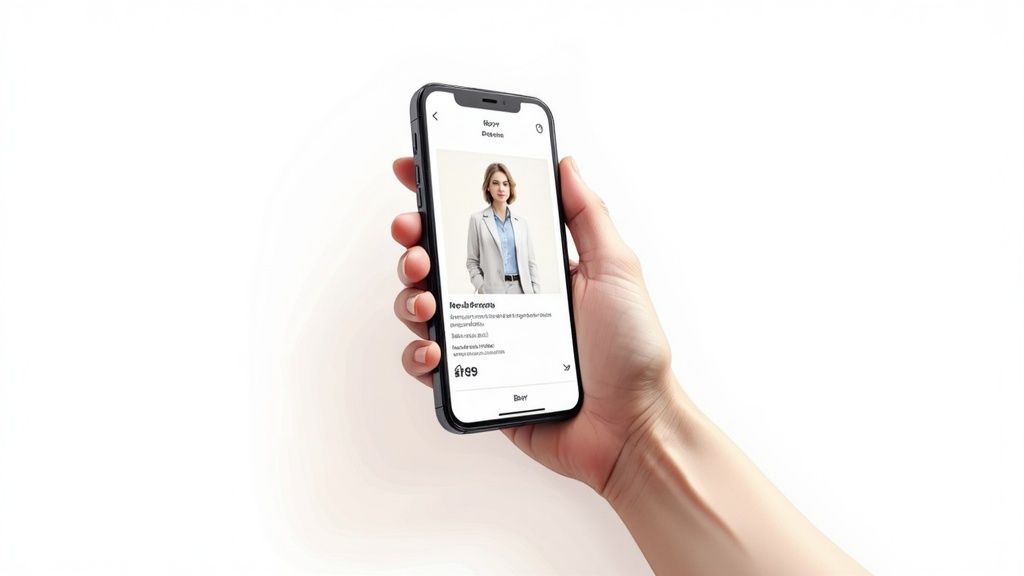
Your e-commerce website design must be mobile-first. That means you design for the small screen from day one, not as an afterthought where you just shrink a desktop site. In practice, that means focusing on:
You don't need to reinvent the wheel to create a design that converts. Often, it's the simple, powerful ideas that guide customers smoothly from browsing to buying. It's all about reducing friction.
For instance, crystal-clear product photography is essential. Your customers can’t touch or feel the products, so your images have to do all the heavy lifting. Show multiple angles, include a zoom function, and maybe even a short video of the product being used.
Another key piece is social proof. Displaying customer reviews and ratings right there on the product page builds instant trust. When a potential buyer sees that other Kiwis have bought and loved an item, their confidence in making a purchase skyrockets.
At its core, designing for dollars means making things ridiculously easy for your customer. To truly nail this, exploring UX e-commerce best practices can show you just how deep this rabbit hole goes. By blending a logical user experience with a clean user interface, you create a digital storefront that doesn’t just look good—it sells.
You could have the most stunning online store in all of Aotearoa, but if no one can find it, it might as well be invisible. It’s a tough thought, isn’t it? This is where Search Engine Optimisation (SEO) becomes your absolute best mate.
We're going to demystify SEO specifically for the New Zealand market. Forget what you’ve heard about mindlessly stuffing keywords everywhere; that’s old news. Real SEO is about understanding what your Kiwi customers are actually typing into Google when they need something you sell.
It’s all about making your website speak Google’s language so it can confidently recommend your store to the right people.
First things first: you need to get inside your customer’s head. What words are they using? A classic Kiwi example is searching for ‘jandals’ not ‘flip-flops’, or ‘chilly bin’ instead of ‘cooler’. These might seem like small things, but they make a massive difference.
This process is called keyword research, and it's the absolute foundation of your whole SEO strategy. You’re not just guessing; you’re using data to find the exact phrases people use when they're ready to buy.
Think about it from their perspective. Someone in Auckland isn't just searching for "shoes." They’re probably searching for "women's leather boots Auckland" or "best running shoes for flat feet NZ." The more specific you get, the better your chances of connecting with a motivated buyer.
Once you have your list of keywords, it's time to put them to work. The most important places to start are your product pages. Your product titles and descriptions aren't just for your human visitors; they're critical signposts for search engines.
A good product description has to do two jobs at once:
Don’t just copy and paste the manufacturer's description! Write your own unique, engaging copy. It’s one of the simplest ways to stand out from competitors who are selling the exact same item. A little bit of personality goes a long way.
Getting this right is a core part of building an ecommerce website designed for visibility from day one. If you're keen to really get into it, understanding the fundamentals of search engine optimisation in New Zealand is a crucial next step.
For many Kiwi businesses, especially those with a physical shop, local SEO is a genuine game-changer. It’s all about making sure you show up when people search for products or services "near me."
The undisputed champion of local SEO is your Google Business Profile (what used to be Google My Business). Have you claimed and fully optimised yours? Honestly, it's one of the most powerful free marketing tools available to any business.
Make sure your profile is completely filled out with:
When someone in Christchurch searches for "gift shops near me," a complete and active Google Business Profile gives you a fighting chance to appear right at the top of those map results. It’s digital gold, and just as important as the tech that powers your site.

Alright, time to pop the bonnet and look at the engine. All the beautiful design and clever SEO in the world won't matter if your site is slow, insecure, or breaks on launch day.
This is the techy stuff—the nuts and bolts that make your ecommerce website design strong, fast, and trustworthy. Let's make sure your digital shop has a solid warrant of fitness before you open the doors.
Have you ever clicked on a site and just given up because it was taking forever to load? We all have. For an online store, that lost second is a lost sale.
Website speed isn't just a "nice-to-have"; it's a core part of the user experience and, frankly, a massive driver of revenue. Google has noticed, and a slow site can hurt your rankings. More importantly, your customers have noticed, and they have zero patience.
So, what actually makes a site load quickly?
Now for the big one: security. Earning your customer's trust is everything in ecommerce. One slip-up, and that trust is gone forever.
This isn't just about protecting your business; it's about making your customers feel safe handing over their personal and payment information. It's non-negotiable.
The foundation of a secure ecommerce website design starts with an SSL certificate. You know, that little padlock icon in the browser bar? It encrypts data between your customer's browser and your site, making it unreadable to bad actors. Without it, you're toast.
Beyond that, you absolutely must use trusted and recognisable payment gateways. For Kiwi businesses, this means integrating proven systems that people already know and trust.
By using these established players, you're not just getting their security features; you're borrowing their reputation to build trust with your customers.
Think of it this way: a customer might not know your brand from a bar of soap, but they know Stripe. Seeing that familiar logo at checkout instantly lowers their guard and makes them feel more comfortable completing the purchase.
This trust is critical as the market grows. The New Zealand ecommerce market is set to hit around US$5.85 billion in 2025 and is expected to grow to a whopping US$8.34 billion by 2029. With more Kiwis shopping online, a secure experience is the minimum entry fee. Get more details on New Zealand's ecommerce expansion and see why security matters more than ever.
Okay, you're almost there! Before you hit that big, scary "go live" button, it's time for a final check. Think of this as the ultimate pre-flight checklist.
Going through these steps methodically will save you from those embarrassing (and costly) launch day blunders.
Taking the time for this final inspection ensures your launch is smooth and professional, setting you up for success from day one.
We get asked a lot about building an online store in New Zealand, and for good reason—there's a lot to think about! To cut through the noise, we’ve put together some straight-up answers to the most common questions we hear.
Think of this as a quick chat over a flat white. No jargon, just practical advice to help you get your head around the big decisions.
Honestly, this is a bit like asking, "How much does a car cost?" It all comes down to what you need. Are you after a reliable runabout to get you from A to B, or a high-performance machine built for the racetrack?
You could get a basic Shopify site off the ground yourself for just a few hundred dollars plus the ongoing monthly fees. It’s a brilliant way to test an idea without breaking the bank. At the other end of the spectrum, a fully custom-designed and developed site from a Kiwi agency can range anywhere from NZ$5,000 to well over NZ$25,000 if you’re after a complex store with unique features.
The real secret is to match your investment to your business goals. You don't need a Ferrari to drive to the local dairy. Before you even talk to a developer, get clear on your 'must-haves' versus your 'nice-to-haves'.
And don't forget to budget for the ongoing costs, too. These typically include:
Ah, the classic showdown. Here’s the thing: there isn't one "best" answer. The right choice is completely down to you—your comfort level with tech, your budget, and what you want your business to become.
Shopify is fantastic for most small to medium businesses. It's an all-in-one platform, which means they handle the hosting, security, and all the tricky backend stuff for a predictable monthly fee. It’s incredibly secure, surprisingly user-friendly, and you can get a store live much faster than you’d think.
WooCommerce, on the other hand, is a powerful plugin that turns a WordPress website into a full-blown online store. This route gives you incredible flexibility and total ownership of your site's data and code. However—and this is a big one—you’re the one responsible for sorting out hosting, staying on top of security, and running updates.
So, what's the verdict? For most Kiwi businesses wanting a powerful, straightforward online store without the technical headaches, Shopify is an excellent place to start. But if you need highly specific, custom features or you're already a WordPress whiz, WooCommerce is an incredibly capable choice.
This is another one of those "how long is a piece of string?" questions. The timeline is directly linked to how complex the project is.
If you're using a template on a platform like Shopify and you have all your product photos, descriptions, and content ready to go... you could technically go live in a weekend. It would be a very busy weekend, but it’s definitely possible.
However, a professional ecommerce project with an agency will usually take anywhere from 4 to 16 weeks.
A simple store with a few dozen products might take 4-6 weeks. A larger, more complex site with custom features, tricky integrations with other systems, and extensive design work could easily be a 3-4 month project. The biggest thing that impacts the timeline? More often than not, it’s how quickly you, the client, can provide feedback and content.
Let’s be clear: you can absolutely do it yourself. Platforms like Shopify and Squarespace were built from the ground up for people without coding skills, offering beautiful templates and drag-and-drop tools.
The real question isn't can you, but should you?
Building a great website takes a lot of time. That's time you could be spending sourcing amazing products, talking to customers, or planning your marketing. A professional developer brings years of expertise in user experience, conversion rate optimisation, and technical SEO—skills that can translate directly into more sales from day one.
If you have more time than money and you're keen to learn, the DIY path is a perfectly solid option. But if you want a high-performing store right out of the gate that’s built on a foundation of proven experience, hiring a pro is a worthy investment in your business’s future.
Ready to get a professional take on your ecommerce project? The team at NZ Apps specialises in creating bespoke ecommerce website designs for Kiwi businesses. Get in touch for a free consultation and let's talk about building an online store that truly delivers.