
Professional starts at US$19.99 a month on yearly billing, about NZ$35 before GST, and Team starts at US$69 a month on yearly billing. New Zealand GST of 15% can lift those USD figures before the exchange rate is applied.
That's why the cost of Zapier needs more than a glance at the plan page. For an Auckland founder, the useful number is the amount leaving the business bank account, with tax, currency conversion and task usage accounted for. A cheap-looking subscription can still be a sensible buy, but you need to know what you've bought.
Three figures sit between Zapier's advertised rate and your bank statement: the USD sticker, the tax-inclusive charge, and the converted amount in your account's currency. The Levy Street Zapier pricing guide lists Professional from US$19.99 per month on annual billing, or US$29.99 month to month, and Team from US$69 or US$103.50 on the same basis.
The lookup below carries those starting prices, task allowances and illustrative New Zealand GST amounts in one place, so each layer of the bill stays visible. The yearly column is a monthly equivalent on annual billing, not a rate you can pay month to month without an annual commitment. Watch the task column too: it marks the allowance where a fixed subscription can start behaving like a variable one.
Zapier plans, tasks and NZ GST on the USD price
| Plan | Yearly USD per month | Monthly USD | Tasks and users | USD with 15% GST yearly | USD with 15% GST monthly |
|---|---|---|---|---|---|
| Free | US$0 | US$0 | 100 tasks per month | US$0 | US$0 |
| Professional | US$19.99 | US$29.99 | 750 tasks per month | About US$22.99 | About US$34.49 |
| Team | US$69 | US$103.50 | 2,000 tasks per month, up to 25 users | About US$79.35 | About US$119.03 |
Follow the Professional row across. The annual-billing monthly equivalent becomes about US$22.99 after GST, while the month-to-month charge reaches about US$34.49. Team lands near US$79.35 and US$119.03 on the same basis. Nothing changed in the workflow builder. You are paying tax on the subscription.
These are illustrative tax-inclusive USD amounts, still denominated in US dollars. Overseas software vendors can be required to charge New Zealand GST on sales to New Zealand customers, so a local billing address may add tax to the advertised figure. Check the tax line on your own invoice rather than treating the sticker as the final charge.
After tax, your payment provider converts the USD charge at its own rate, with any card margin it applies. Two identical subscriptions can settle at different NZ dollar amounts weeks apart purely because the exchange rate moved, so the NZD cost of any row is the GST-inclusive figure at whatever rate your provider quotes on billing day.
Budgeting rule: Keep the advertised price, the tax-inclusive charge and the bank-account cost in separate spreadsheet cells.
Cash leaves the account the day the charge lands. The expense your accountant records can differ once GST treatment is worked through, so keep the invoice and confirm how the tax should be treated if your business has GST reporting obligations.
Don't trim the cash budget on the assumption a tax adjustment will arrive later. The money still has to be sitting there on billing day.
Australian founders shouldn't copy the New Zealand column. Australia applies its own GST at a different rate, billing details change the tax treatment, and the NZ figures are not an Australian landed-price quote.
For founders who sell software themselves, this is also a pricing-page lesson. Fluidwave's guide to how transparent pricing improves conversions is a useful companion when you decide how to explain billing cycles, tax and usage charges to your own buyers.
A clear price page helps. A clear purchasing spreadsheet helps more.
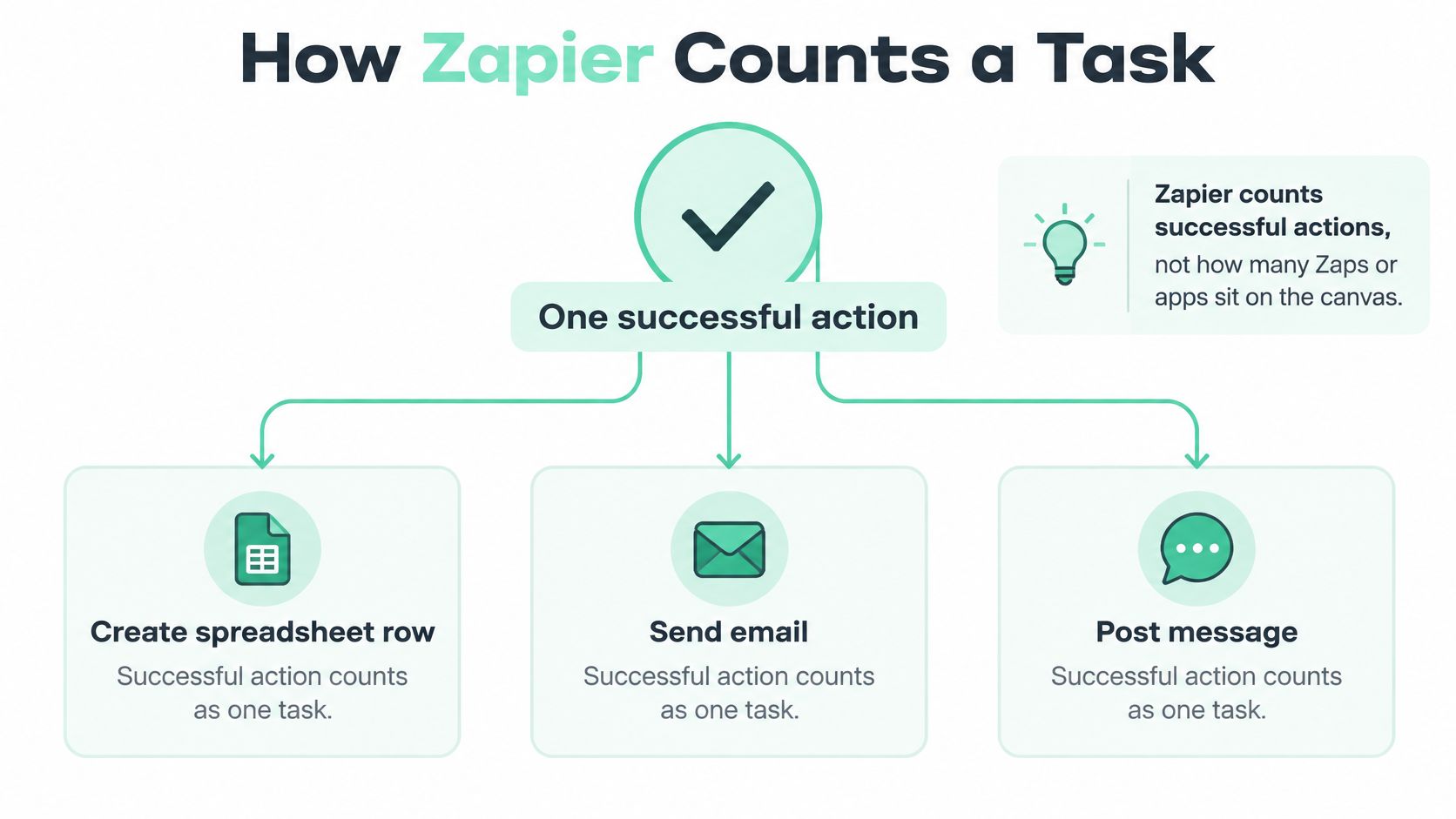
A task is a successful action, not a workflow sitting in your account. Zapier's task guide uses examples such as creating a spreadsheet row, sending an email and posting a Slack message, and lists monthly starting allowances of 100 tasks on Free, 750 on Professional and 2,000 on Team.
That distinction matters because a single Zap can perform several paid actions each time it runs. Counting Zaps is like counting delivery vans without checking how many trips they make.
Take a simple hypothetical Zap with two successful actions per run. If it runs 50 times, it uses 100 tasks. That's the whole Free allowance, even though you've built only one workflow.
Now suppose another Zap completes three billable actions across 250 runs. That's 750 tasks, enough to use the entry Professional allowance on its own. A neat-looking builder doesn't mean a small task bill.
The useful formula is:
Expected runs × successful billable actions per run = expected tasks
Use successful billable actions, rather than assuming every box on the screen costs a task. Check the actual usage history when your workflow includes special features or built-in tools.
Try this before choosing a paid plan:
Say a Wellington candle maker receives Shopify orders and then writes a Google Sheets row, posts a Slack message and sends a confirmation email. Those are three successful actions; the Shopify order trigger isn't a fourth action.
At a hypothetical 40 orders a day over a 30-day month, that's 1,200 runs and 3,600 tasks. One workflow can therefore exceed the entry Team allowance. Without the email action, the same workflow would have a different task total, so small design choices matter.
If you're comparing platforms, use the workflow automation tools guide to frame the shortlist. Compare what each tool meters, not just what each subscription costs.
Say a support-inbox Zap completes two successful actions on each of 400 runs. That hypothetical month uses 800 tasks, leaving 50 outside a 750-task Professional allowance. The subscription price isn't necessarily a spending ceiling.
Zapier's paid-plan setup can move an account onto pay-as-you-go after it reaches its task limit, unless that setting is disabled or the account is upgraded. You need to make a deliberate choice about overflow before real customer traffic arrives.

During a trial, turn pay-as-you-go off if avoiding unplanned spend is the priority. Then inspect task history across quiet trading and a busy period before raising your allowance.
That choice has an operational trade-off. If you don't permit overflow, you need a plan for what happens when the included capacity runs out. A firm spending limit is useful, but not if nobody notices that an important customer workflow has stopped.
Assign a person to monitor usage. It shouldn't sit in the vague bucket of things someone in ops probably checks.
A spending cap and uninterrupted service are different goals. Decide which matters most for each workflow.
A broken workflow may complete fewer actions than intended. Once you fix it, more actions can succeed, which can increase task consumption even if sales or support demand hasn't changed.
So check usage after a repair, not just after adding a new Zap. Also review broad triggers and actions that send information nobody uses. A Slack notification left over from testing can become a recurring charge with no business purpose.
Seasonal peaks deserve a line in the forecast too. End-of-financial-year admin in NZ and Australia, or a Boxing Day sale, can make a normal-month estimate look rather hopeful.
There's no defensible dollar estimate for those extra tasks without the applicable account rate. Don't guess one. Open billing settings before the first real campaign, confirm the current terms, and decide how much extra spend you're prepared to allow.
Annual billing works like signing a twelve-month lease: the monthly equivalent drops, but leaving early gets awkward. Monthly billing is the rolling tenancy, easier to exit and priced for that freedom.
Using the listed starting prices, the following are calculated subscription totals in USD, before currency conversion or card fees. The GST figures apply the New Zealand rate to the unrounded annual amounts, so this table compares billing cycles only and is not an NZD invoice quote.
| Plan | Annual billing total before GST | Monthly billing kept for a year before GST | Annual billing total with NZ GST | Monthly billing kept for a year with NZ GST |
|---|---|---|---|---|
| Professional | US$239.88 | US$359.88 | About US$275.86 | About US$413.86 |
| Team | US$828 | US$1,242 | US$952.20 | US$1,428.30 |
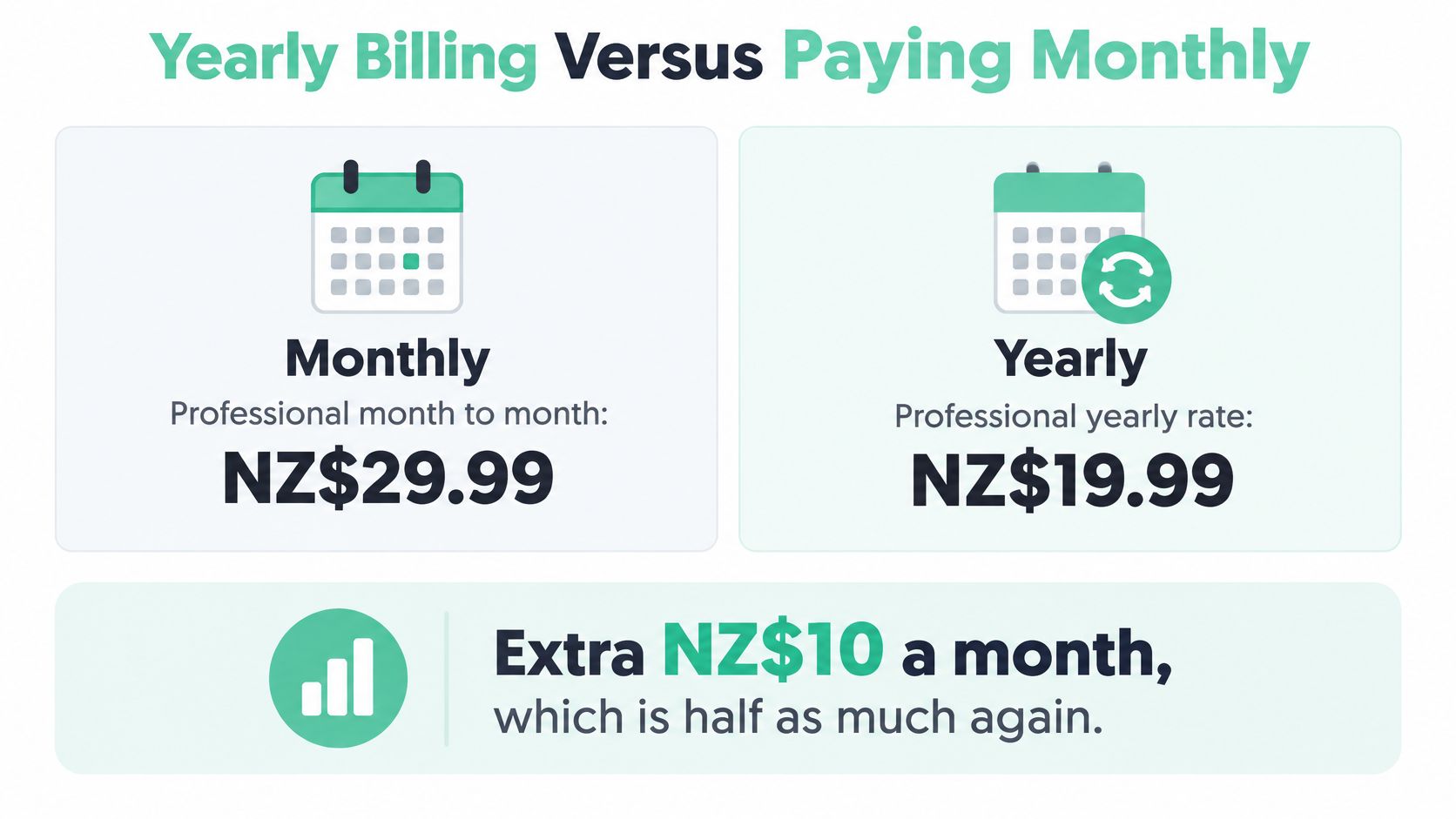
For Professional, paying month to month costs US$10 more per month, or US$120 across a full year before tax. The monthly rate is half as much again as the annual-billing monthly equivalent.
For Team, the difference is US$34.50 per month, or US$414 across a full year before GST. Including NZ GST, the calculated annual gaps are US$138 for Professional and US$476.10 for Team.
The billing-cycle choice does not change the currency. Both columns stay in USD until your card converts them, and GST still needs to be handled in New Zealand accounts, which is why the NZ dollar figure should carry conversion, GST and possible overage together rather than being read off this table alone.
A founder who's still deleting test Zaps may reasonably pay the higher monthly rate for a short stay. That premium can be cheaper than committing to a workflow stack the business won't keep.
A settled operations team faces a different decision. If staff rely on the same automations and usage is well understood, staying monthly means paying for flexibility they may no longer need.
There's also a cash-flow question. A monthly equivalent makes plans easy to compare, but an annual commitment belongs in the payment calendar as well as the monthly management accounts. Make sure the person approving the purchase understands the billing cycle.
Our published guide, SaaS Pricing Models: A Practical Guide for NZ & AU Founders, provides broader context for this trade-off. The guide to SaaS pricing models is useful if you're making similar choices for your own product.
A plain decision rule: If the workflow will still be running in six months, price the year. If you're still deleting Zaps every fortnight, wait until usage settles.
The charge remains in USD whichever cycle you choose. A lower subscription rate doesn't remove exchange-rate risk, and a monthly payment doesn't guarantee a steady NZ dollar charge.
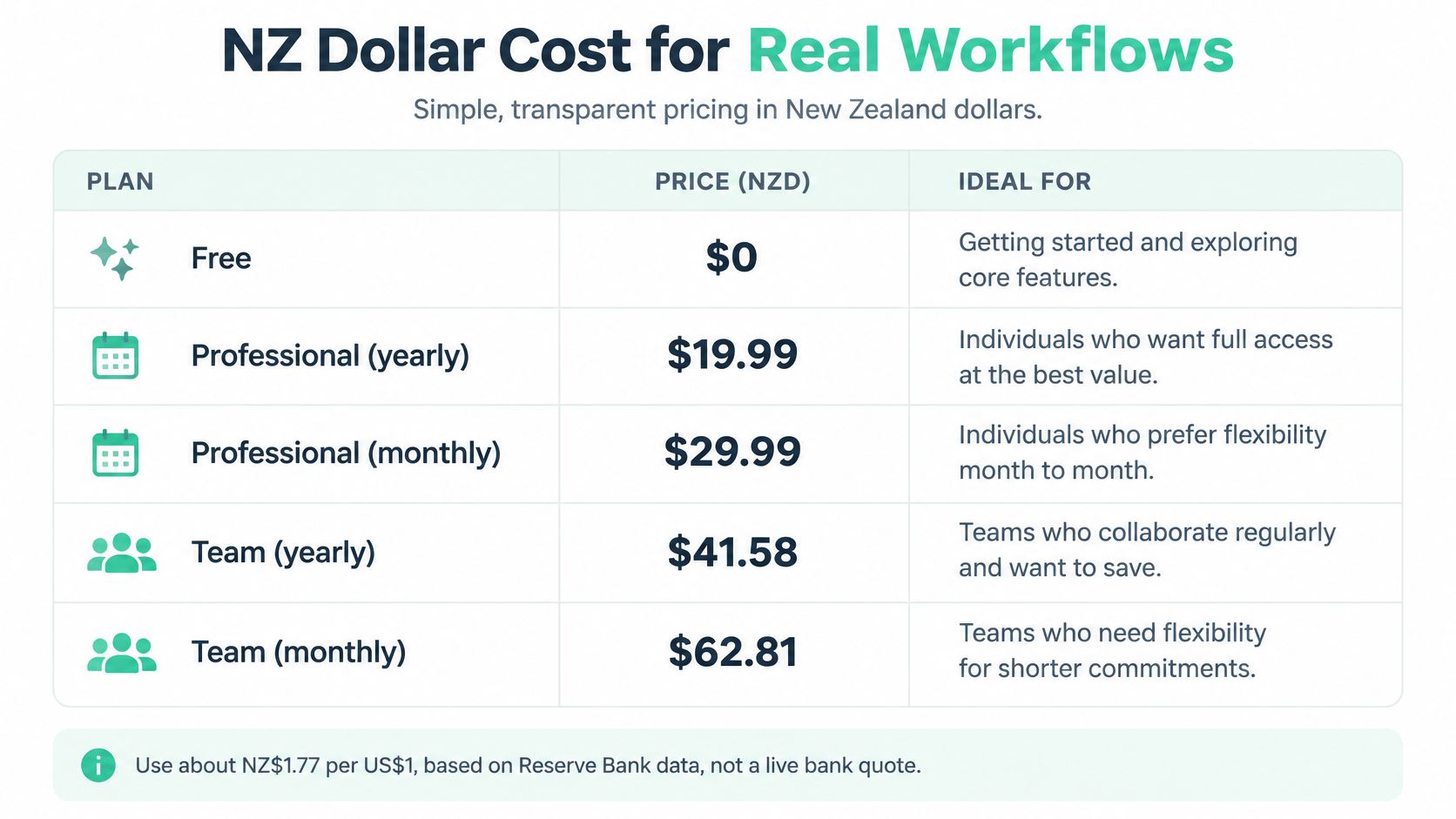
Treat the figures below as a budget scenario rather than a live quote. They apply an assumed illustrative rate of about NZ$1.77 per US$1 to the starting subscription prices on Zapier's pricing page. One lookup table should carry the three things that change the NZ bill: GST, the NZ dollar conversion, and overage risk.
Approximate NZD cost of Zapier plans at an assumed 1.77 NZD per USD
| Plan and billing | USD per month | NZD before GST | NZD with 15% GST | NZD with GST if USD costs 20% more | Overage risk |
|---|---|---|---|---|---|
| Free | US$0 | NZ$0 | NZ$0 | NZ$0 | Included capacity still limits use |
| Professional yearly | US$19.99 | About NZ$35 | About NZ$41 | About NZ$49 | Extra spend possible if overflow is enabled |
| Professional monthly | US$29.99 | About NZ$53 | About NZ$61 | About NZ$73 | Extra spend possible if overflow is enabled |
| Team yearly | US$69 | About NZ$122 | About NZ$140 | About NZ$169 | Extra spend possible if overflow is enabled |
| Team monthly | US$103.50 | About NZ$183 | About NZ$211 | About NZ$253 | Extra spend possible if overflow is enabled |
Amounts are rounded to whole NZ dollars after calculation. The annual-billing rows show monthly equivalents, and none of these totals includes an unknown card-issuer FX margin or additional task charges.
Your budget needs three distinct cost inputs:
A bank statement total is not Zapier's plan price. It can contain tax and payment costs that Zapier does not control. A reference exchange rate is also not a promise from your card issuer, because the charged rate is set inside the payment flow.
A milder hypothetical 10% increase in the NZD cost of a US dollar takes Professional yearly from about NZ$41 to NZ$45 a month including GST. Team yearly moves from about NZ$140 to NZ$154 on the same basis.
For a hypothetical small NZ studio whose usage fits Professional, NZ$41 to NZ$49 per month is a useful subscription range under these scenarios. Setting aside NZ$50 leaves a little room for card costs, though it still is not a guaranteed all-in ceiling.
Annualising the rounded adverse-currency Professional estimate gives roughly NZ$588. Use that as a subscription planning figure under the stated currency scenario. Enabled overflow and payment fees can take the actual cost higher.
That distinction matters if you are building a SaaS budget of your own. PostPulse's guide to choosing flexible pricing for your app offers useful context for weighing usage-based flexibility against predictable spending.
Australian founders can reuse the USD prices, but need an AUD conversion rate and their own GST treatment. An NZ dollar table cannot answer that part of the purchasing decision.
Use Free to test, Professional for established modest usage, and Team when shared access and the task requirement justify it. Choose from the work your company needs done, not from the plan name that sounds most ambitious.
For a pre-revenue founder, Free is a useful testing lane. Zapier's pricing explainer says it includes unlimited Zaps, access to tools such as Tables and Forms, and 100 tasks per month. The generous-looking workspace doesn't remove the usage limit.
Test the customer hand-off, lead routing or admin process before committing to a paid year. Check that the records arrive in the right place, that staff trust the output, and that someone owns failures.
A small NZ or Australian company with a few live workflows may suit Professional once the task forecast fits comfortably within its allowance. Yearly billing makes sense when those workflows are settled; a short monthly stay is reasonable while you're still rebuilding them.
Team is the stronger candidate when you need shared access and more included capacity. But don't assume a higher plan name solves every volume problem. If normal usage exceeds the entry allowance, inspect the higher task tiers on Zapier's pricing page rather than guessing a price.
For founders working through the wider budget, Mazurly's guide to SaaS launch costs and runway helps place this subscription beside the other costs of getting a product into market. Automation should earn its place in that budget.
The most useful purchasing checklist is short:
If your challenge is a messy customer-data hand-off rather than the subscription itself, our CRM and automation development guide for NZ provides related context. Buying more tasks won't fix a process that sends the wrong data to the wrong place.
The right cost of Zapier is the cost of a useful, reliable workflow with a bill you can explain. Start with the task forecast, make the currency assumptions visible, and keep control of overflow.
NZ Apps is an independent media and directory covering app companies, SaaS tools and AI startups across New Zealand and Australia. Visit NZ Apps for practical software guides and regional company listings to help you compare automation tools and build a clearer operating budget.
Add your NZ or Australian app or tech company to the NZ Apps directory and get discovered by founders and operators across the region.
Get ListedReach tech decision-makers across New Zealand and Australia. Sponsored and dofollow editorial links, permanent featured listings, and sponsored articles on a DA30+ .co.nz domain.
See Options